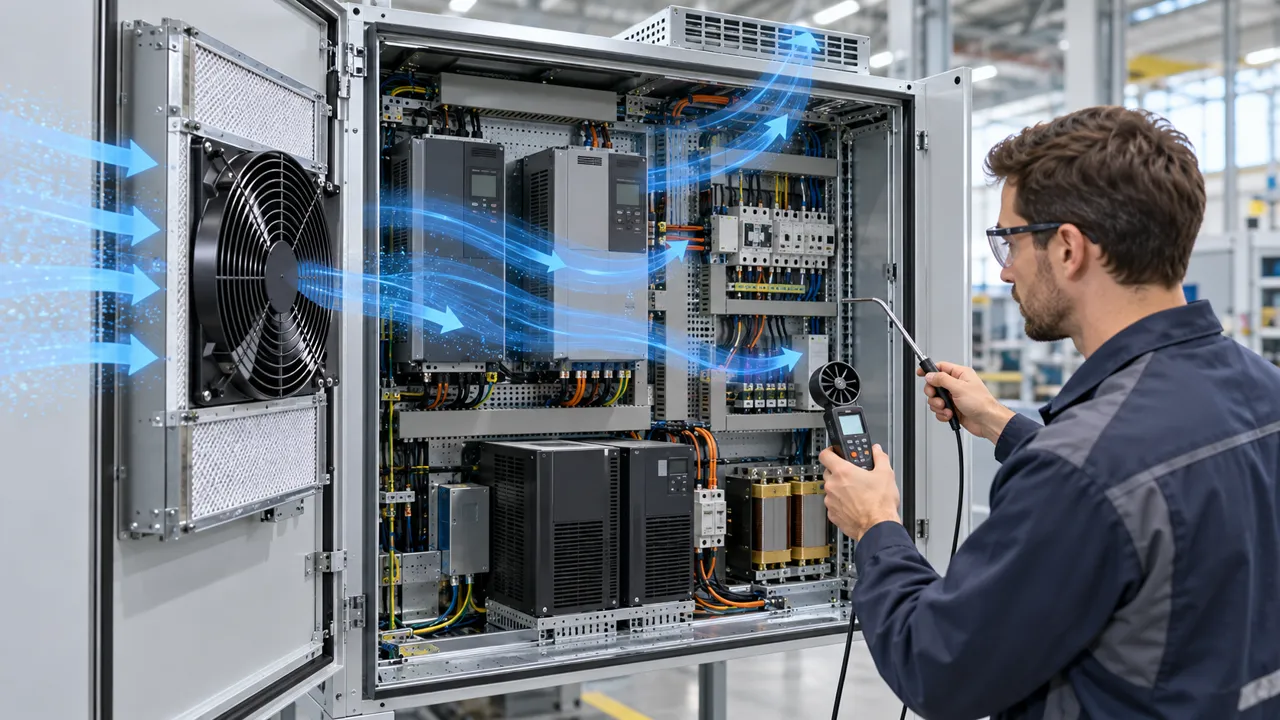
Hotter after adding a fan: the paradox
A second fan should mean more cooling. In a shared enclosure it can mean the opposite, and the thermometer proves it before any theory does.
The scene is familiar to any team building its own cabinet. A self-built control cabinet runs hot at 68 degrees C on the hottest board. The team bolts a second 120 mm fan next to the first. The total free air rating jumps from 100 to 200 m3/h. Board temperature climbs to 73 degrees C. Nothing is broken and both fans spin. The system simply does not cool the way the datasheet sum suggests.
Three mechanisms explain almost every case of hotter after adding a fan. First, the shared plenum lets air recirculate instead of crossing the load. Second, the new fan motor adds heat to the same small air volume. Third, the extra fan shifts the system operating point, so net installed airflow can stay flat or fall while power draw and noise rise. This article separates the three, gives each a measurement and a pass limit, and ends with the selection method that avoids all three.
Measure before changing anything. Record inlet air temperature, outlet air temperature, the hottest component temperature, and airflow at the load, or at least fan RPM and current, with the original configuration. Without a baseline, every later reading is an opinion. Pass criterion for the whole job: hottest component temperature down by at least 5 K at the same ambient and load, with no new noise or power penalty beyond the agreed budget.
Pitfall 1: the shared plenum recirculates
Two fans discharging into one open plenum do not add the way two numbers add. Air follows the lowest resistance path. If the second fan discharge can reach the first fan inlet more easily than it can cross the boards and leave through the exhaust, part of the combined flow loops inside the cabinet: exhaust air re-enters as inlet air. Total fan flow rises while flow across the load does not.
Take two identical 120 mm fans, each rated 100 m3/h free air. Mounted side by side into a shallow plenum with a single restricted exhaust, the pair may move 150 m3/h in total while only 60 m3/h crosses the hot boards, less than the 85 m3/h the single original fan delivered across the same boards. The cabinet now has more fan, more noise, and less cooling where it counts. These are illustrative system figures showing the mechanism, not a MEGA product claim; the check below is what transfers to your cabinet.
Catch it with a ribbon or a smoke pencil at the exhaust and at each fan inlet while the cabinet runs at real load. If exhaust air is visibly drawn back toward an inlet, or if inlet air temperature rises more than 3 K above room ambient with the cabinet closed, recirculation is under way. A traverse with a handheld anemometer across the board plane is better: compare the average velocity across the load before and after the change. Pass criterion: at least 90 percent of the added fan flow must appear as increased flow across the load. If inlet temperature exceeds ambient by more than 5 K, the air path is looping and the fan count is not the fix.
The fix is geometry, not more fans: a baffle between the two discharges, a short duct from each fan to the exhaust side, or separate inlet and exhaust zones so discharged air cannot reach an inlet. The figure shows the same cabinet with and without the baffle: red loops on the left, clean blue transit on the right.

Pitfall 2: the fan motor adds heat
Every fan is also a small heater. Input power splits into shaft power, which moves air, and losses, which warm the motor, the hub, and the air passing over them. A typical 120 x 120 x 38 mm DC axial fan drawing 6 W at 12 V converts roughly 1 to 2 W into heat inside the cabinet even while it is cooling, and a second fan doubles that addition.
In a large ventilated cabinet, 2 W is noise. In a small sealed or lightly vented enclosure, it is the whole thermal budget. Take a 30 litre enclosure dissipating 40 W from its electronics: adding two 6 W fans raises the internal heat load by 12 W, a 30 percent increase, before a single extra litre of air crosses the boards. If the enclosure has no exhaust path sized for that heat, internal temperature must rise until the walls reject it. The fans become part of the problem they were bought to solve.
The check is arithmetic, done before ordering: add 100 percent of each new fan input power to the thermal budget. That conservative rule removes any argument about efficiency. Pass criterion: total fan input power must stay below 5 percent of the electronics dissipation, or the added watts must appear explicitly in the thermal calculation with an exhaust path to match. If the budget fails, the answer is a more efficient fan at the duty point or a ducted path, not a bigger fan.
Control helps twice. A fan with PWM control that drops to 60 percent speed at part load draws roughly 22 percent of full power, because fan power follows the cube of speed, so its heat contribution falls by nearly four fifths while it still moves about 60 percent of full airflow. Size for the worst case and control for the common case.
Pitfall 3: the operating point moves against you
A fan does not deliver its datasheet airflow inside a cabinet. It delivers the airflow where its P-Q curve crosses the system resistance curve, and system resistance rises with the square of airflow. Adding a second fan in parallel does not double installed airflow; it shifts the combined fan curve, and the new crossing point depends on how steep the system curve is.
A single fan delivers 80 m3/h against 60 Pa of filter, grill, and board resistance. Add an identical second fan in parallel into the same restricted path and the pair may settle at 95 m3/h against 85 Pa: a 19 percent gain for twice the fans, twice the power, and more noise. Push the resistance higher, with a dirty filter or a dense board stack, and the gain shrinks toward zero. If one fan stalls or surges at the new point, net flow can fall below the original 80 m3/h. The datasheet sum of 160 m3/h never existed inside the cabinet.
The check is a plot, not a sum: the combined fan curve, from maker P-Q data for the fans in parallel, against the measured or estimated system curve, read at the crossing point. Pass criteria: net installed flow gain of at least 15% at the duty point; operating point inside the fan stable region, away from stall, with margin; and power plus noise within the agreed budget. If any criterion fails, change the air path, with a bigger exhaust, a cleaner filter, or a shorter duct, before adding a third fan.
Diagnose before you buy: the 30-minute check
Thirty minutes with three instruments beats a week of swapped fans. You need a thermocouple or sensor on the hottest component and one at the inlet, a handheld anemometer or a ribbon for direction, and the fan P-Q curve plus a pressure reading across the filter and grill if you can get one. Run the cabinet at its real load, closed, for at least 15 minutes so temperatures stabilise.
Work the table in order. Each row is one measurement and one verdict. Stop at the first row that explains the symptom, fix that, then re-measure. Do not change two things at once: a cabinet that gets two fixes at once teaches nothing when it fails again.
Record the baseline in writing: ambient, inlet, outlet, hottest component, fan RPM, fan current, filter condition. The next person to touch this cabinet, including you in six months, needs those numbers to know whether a change helped.
| What you see | Measure | Verdict |
|---|---|---|
| Board hotter after adding a fan | Inlet temperature vs room ambient | More than 5 K above ambient points to recirculation |
| Inlet air nearly room temperature, board still hot | Air velocity across the board plane | Low velocity at the load means the flow bypasses it |
| Fan RPM normal, airflow low | Pressure across filter and grill | High drop means the system curve is steep: clean or enlarge the path |
| Flow falls as a second fan starts | Combined P-Q against the system curve | Operating point moved into stall or a flat region |
| Cabinet hot even with fans at full speed | Total fan input power vs load dissipation | Fan heat above 5 percent of load means the fans add measurable heat |
| Noise up, temperature unchanged | Flow across the load before and after | No flow gain means the added fan is not reaching the load |
Fixes that work: baffle, duct, place, control
Baffle first. A simple sheet metal or printed divider between two fan discharges, or between discharge and inlet zones, breaks the recirculation loop at almost no cost. Keep the baffle clear of the impeller, at least 10 mm from the blade plane, and seal its edges so air cannot sneak around the ends.
Duct second. A short duct from each fan to the exhaust side, or from the inlet directly to the hot boards, converts shared plenum guesswork into a defined path. Size the duct so air velocity stays below 5 m/s: above that, duct noise and pressure loss climb fast. Keep bends gentle, because every sharp 90 degree bend adds pressure drop equivalent to several metres of straight duct.
Place third. Inlet low, exhaust high, and the hot load between them along the flow direction, so buoyancy helps instead of fighting the fans. Keep the inlet and exhaust on different faces where the cabinet allows it: an inlet and an exhaust on the same face invite the discharge to loop straight back in.
Control fourth. PWM speed control matched to a temperature sensor lets the fans run at the duty the cabinet actually needs: at 60 percent speed, airflow is about 60 percent, power about 22 percent, and noise drops sharply. Agree the control curve in advance, for example full speed above 60 degrees C board temperature and 50 percent speed below 45 degrees C, and verify it on the prototype, not on the customer floor.
Size the replacement fan from the duty point
Start from the duty, not the catalogue. Measure or estimate the system pressure at the target airflow. As starting points only, not specifications, an open low resistance cabinet sits around 20 to 30 Pa, an enclosed cabinet with filter and louver around 40 to 80 Pa, and a narrow path with a long duct run at 60 Pa or higher. Those ranges are published by Adhaiwell for LED display cabinets and are used here as starting estimates for any cabinet. Then pick the fan whose P-Q curve crosses the system curve at the target airflow plus a 15% margin, and check the crossing, not the free air number.
A worked sanity check, after the published method of SANYO DENKI: an enclosure dissipating 100 W with a 15 K allowed rise between incoming air and internal air needs roughly Q = 100 / (20 x 15) = 0.33 m3/min of air through the equipment, and that is air through the assembled equipment, not a free air catalogue figure. If your cabinet dissipates 200 W with the same 15 K budget, the requirement doubles to about 0.67 m3/min before any margin. Do the same arithmetic for your load, then select against the installed curve.
Check the rest of the duty before ordering: noise at the duty point, not at free air; voltage and tolerance; control interface, with PWM where the system can use it; connector; envelope including guard and filter clearance; and the temperature basis, ambient plus the cabinet own rise. A fan that fits the P-Q crossing but misses the connector or the noise limit is still the wrong fan.
Where MEGA Tech fits, and where it does not
MEGA Tech builds custom cooling fans and selects them by operating condition, not by part number. For a cabinet that got hotter after adding a fan, the useful engagement is fan selection against your measured duty point, an airflow path review of the cabinet covering plenum, baffle, duct, inlet and exhaust placement, and samples validated on your unit before any batch quantity. MEGA Tech holds ISO 9001, CE, and RoHS. Its published fan range is DC axial fans, and any EC discussion in this article is an industry facility cooling concept attributed to third parties, not a MEGA product claim.
What we need from you, the eight inputs: airflow and static pressure at that airflow, the temperature basis, voltage tolerance, control interface, connector, envelope, noise target, and life assumption. With those, selection starts from the duty point; without them it starts from a guess. Send the P-Q curve of the current fan and the measured system pressure if you have them: they shorten the loop by a full round.
Boundary, stated plainly: MEGA Tech does not supply coils, liquid loops, controllers, cabinet safety design, or emergency ventilation. If your cabinet needs a liquid loop or a safety rated ventilation system, that is a different supplier scope, and we will say so rather than stretch a fan quote to cover it.
For startups and small teams building their first cabinets, the sample route is the point: a small quantity of samples, tested on your prototype with the baffle and duct changes above, before committing to a production quantity. That is how a small team buys its way out of a thermal surprise, with a measured sample, not a larger catalogue number. Need the P-Q curve or a custom specification? Send your fan size, voltage, airflow and static pressure target, quantity and constraints to MEGA Tech.
Engineer FAQ
Q: Two identical fans in parallel should double the airflow. Why did mine not? A: Parallel fans add their curves, not their free air numbers. Against a steep system curve the combined crossing point gains far less than double, and it can even fall if a fan stalls. Plot the combined curve against the system curve before ordering.
Q: My inlet air is 8 K above room temperature. Is that recirculation? A: Almost certainly. Inlet air more than 5 K above ambient with the cabinet closed means discharge air is looping back. Baffle or separate the inlet and exhaust zones, then re-measure.
Q: Can I just fit a bigger fan? A: Only if the bigger fan P-Q curve crosses your system curve at a better point with acceptable noise and power. A bigger fan into the same restricted path buys little; a cleaner path or a ducted route usually buys more.
Q: How much heat does a fan motor really add? A: Budget 100 percent of fan input power as heat inside the cabinet. If total fan power exceeds 5 percent of the electronics dissipation, it belongs in the thermal calculation, not in the rounding.
Q: What do you need from me to select a fan for my cabinet? A: Airflow and static pressure at that airflow, temperature basis, voltage tolerance, control interface, connector, envelope, noise target, and life assumption, plus the current fan P-Q curve and the measured system pressure if you have them.
Questions for a Design Review
Take this list to the review. Any question without a measured answer is a thermal risk carried into production.
- Where does discharge air go: can any of it reach an inlet, and what proves it cannot?
- What fraction of added fan flow actually crosses the hottest component, and how was it measured?
- What is the system pressure at the target airflow, and is the fan selected at that crossing point or at free air?
- How much heat do the fans themselves add, and is it inside the thermal budget?
- What happens to flow and noise when the filter is dirty: is the dirty filter margin in the selection?
- What does the PWM control curve do at part load, and has it been verified on the prototype?
- What sample test on our unit closes this review before batch quantity?