One Wrong Direction Can Defeat a Good Cooling Design
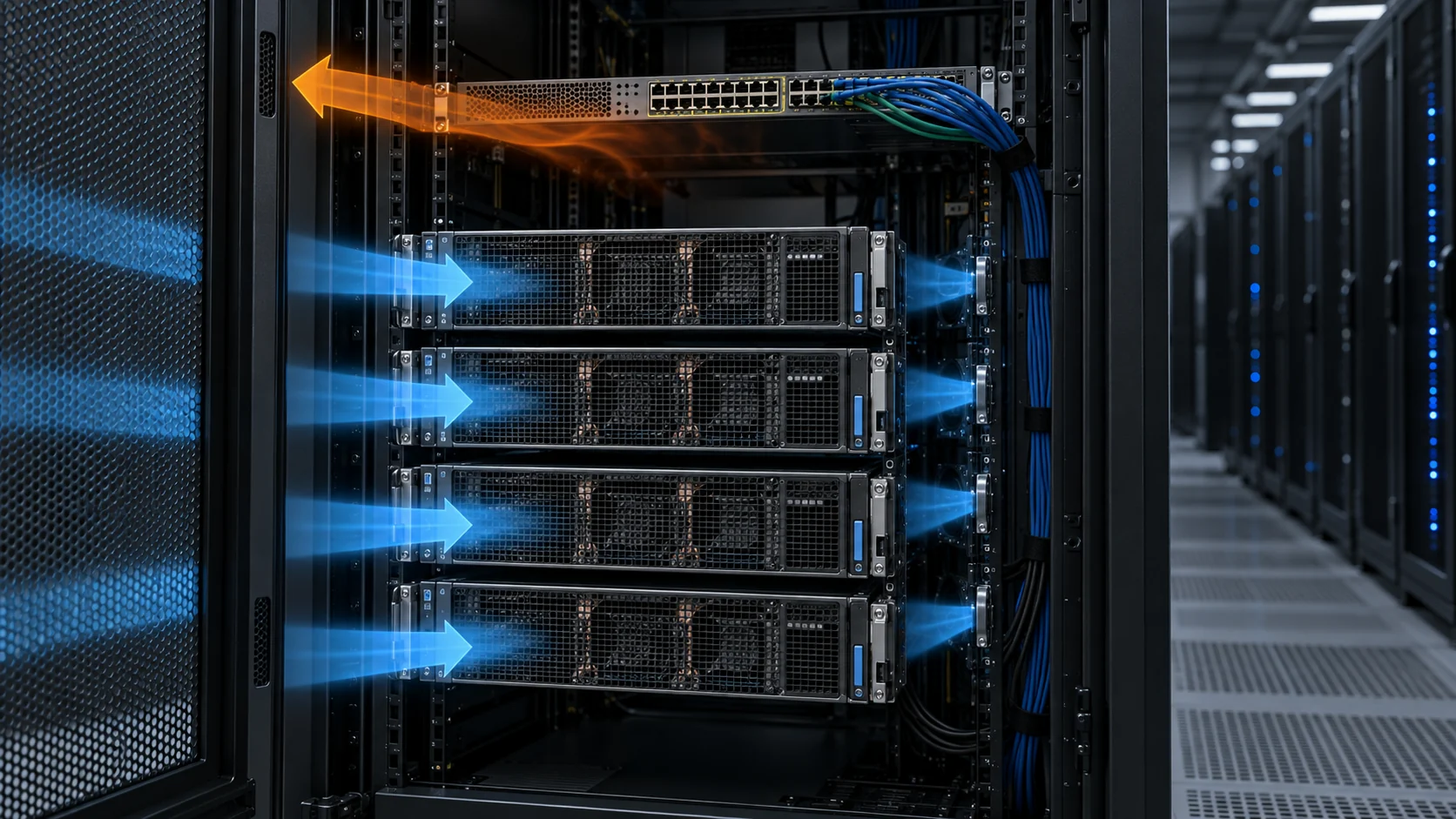
A rack can have containment, enough room cooling and still feed hot exhaust directly into a switch or server inlet.
GPU servers are commonly installed front-to-rear, but network equipment may be supplied in power-to-connector or connector-to-power configurations. A switch that takes air from the hot aisle while adjacent servers take it from the cold aisle is not automatically wrong; a switch that exhausts into the cold side or draws another device's exhaust is. The direction must be checked from the actual product airflow label and installation document, not assumed from the connector position.
NVIDIA's DGX SuperPOD guidance requires the airflow direction to be considered during rack design and BOM selection. It also warns that the chosen direction may not be field-modifiable. Treat every server, switch, PSU and fan tray as an inlet-to-exhaust path before equipment enters the rack.
The failure this prevents is not dramatic. Nothing trips, no breaker opens, and the room cooling may be running exactly to design. What changes is a single inlet: one 1U switch, one power supply or one rear-facing module in the hottest part of the rack starts drawing air that has already passed through something else. Room-average temperature stays flat, that device runs several kelvin above its neighbours, and the first symptom is usually an unexplained thermal alarm months later.
P2C and C2P Name a Rack Position, Not a Product Grade
The two terms describe which end of a chassis draws air, and therefore which aisle the device must face.
The names come from the two ends of a switch or server chassis: the P side, where the power supplies sit, and the C side, where the network connectors sit. NVIDIA's DGX SuperPOD infrastructure guidance states the two definitions directly. Power-to-connector, or P2C, means air enters at the power end of the chassis and exhausts at the connector end. Connector-to-power, or C2P, means the opposite. The same document notes that P2C is the default airflow direction for data centre network equipment, because switches are normally mounted at the rear of the rack with their network connectors facing the hot aisle.
That default is a consequence of cabling practice rather than thermal preference. Routing switch fabric and power cabling into the rear keeps the cold aisle clear for service access, and the P2C direction follows from the resulting geometry: the device intake faces the hot aisle and the exhaust faces the cold aisle. It works only while the air at the rear of that rack stays inside the equipment's rating, which is why the direction and the rack position have to be decided together.
Vendor terminology varies, and that matters when a data sheet or a spare-part number is being read. Juniper, for example, labels the same two directions by the field-replaceable-unit end of the chassis — FRU-to-port for power-end intake, port-to-FRU for connector-end intake — and marks the modules AIR IN and AIR OUT. Those words do not transfer between vendors. What does transfer is the physical question: which face of this chassis takes air in, and which aisle is that face looking at?
Some vendors also carry the distinction inside the part number rather than in a separate ordering field, so two spares that differ by a single character can be opposite airflow directions. Treat the airflow direction as an attribute of the part, not of the model, and confirm it against the airflow label or arrow on the unit itself.
| Short form | Meaning | Equivalent vendor wording |
|---|---|---|
| P2C | Air in at the power (P) end, out at the connector (C) end | Back-to-front; FRU-to-port; AIR IN on some switch lines |
| C2P | Air in at the connector (C) end, out at the power (P) end | Front-to-back; port-to-FRU; AIR OUT on some switch lines |
| Warm aisle position | Device mounted at the rear, connectors facing the hot aisle | The usual default for network equipment in a rack |
| Cold aisle position | Device mounted at the front, ports facing the cold aisle | Required when the hot aisle exceeds the equipment rating |
The Hot Aisle Decides Between P2C and C2P
The choice comes down to one number: the temperature of the air at the rear of the rack.
Rear-rack air temperature is not the room's cooling set point. It is the supply temperature plus the rise the equipment itself creates. NVIDIA's guidance gives the working relationship — with a 21 °C (70 °F) supply and a typical 14 to 17 K (25 to 30 °F) rise across the IT load, the hot aisle sits near 38 °C (100 °F). Equipment that was ordered for that environment is fine. The same equipment in a denser rack, a warmer plant or a partially contained aisle is not.
NVIDIA sets a specific threshold on the same page. If the hot aisle will exceed 60 °C (140 °F), cabling — including power cabling — has to be moved to the cold aisle or derated. In practice that pushes the switch to the front of the rack with its ports facing the cold aisle, which requires C2P airflow. At that point the direction is not a preference; it is what the rack layout demands.
Two consequences follow. The first is timing: because airflow on many switches is determined by the power-supply fan, NVIDIA states that a C2P requirement has to be resolved during BOM selection and may not be modifiable in the field. A rack designed without that decision becomes a procurement problem after the hardware has arrived. The second is that the 60 °C figure is a design input, not a measurement to be taken after commissioning. If the projected hot-aisle temperature of a rack is anywhere near it, the airflow direction belongs in the rack drawing and the order, not in a commissioning note.
The Four Checks Before You Install Hardware
Make the air path visible in the rack drawing and measurable during commissioning.
Do not accept a device because it physically fits the rails. Check the airflow direction on the exact SKU, then trace it through the planned hot and cold aisles. Keep cable bundles out of the central exhaust path and leave access for fan-module replacement. A cable-management improvement can also be a thermal correction.
ASHRAE's networking thermal guidance adds a check that a rack-level review often misses. Where a chassis does not span the full depth of the rack, the recommended practice is an airflow duct that reaches the front face, so the device draws conditioned air from the cold aisle rather than from the gap above or below it. A short-depth switch sitting behind a blanking panel is the canonical example of a device that is correctly oriented and still starved.
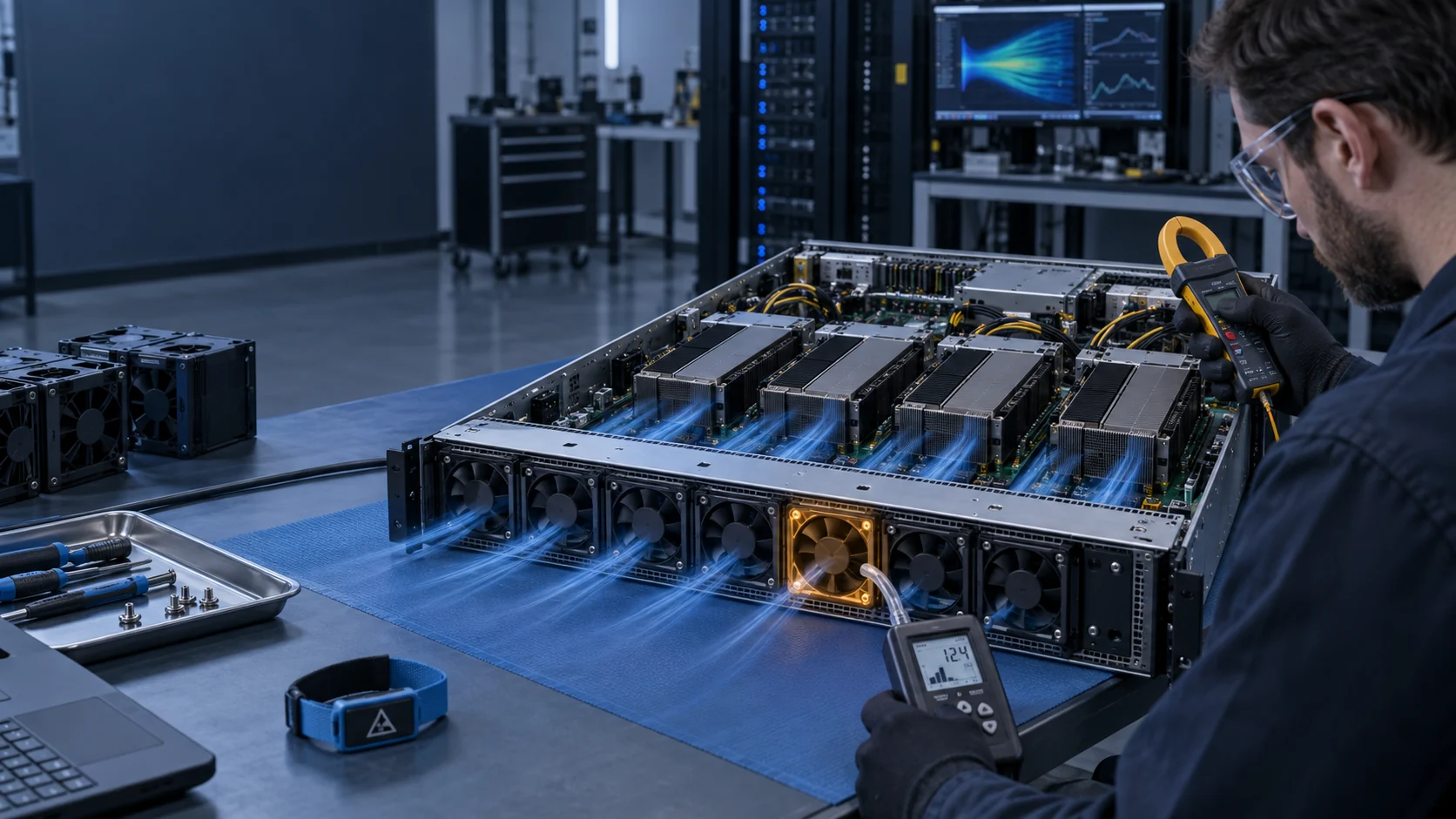
At commissioning, compare the same rack-inlet points at the top, middle and bottom against fan command, actual RPM and the hottest device telemetry. Room-average temperature cannot prove that a rear-facing power supply or a top-of-rack switch is receiving suitable inlet air.
| Check | Evidence | Failure prevented |
|---|---|---|
| Device direction | Manufacturer airflow arrow, installation guide and exact SKU | Hot exhaust directed to the cold aisle |
| Rack position | Front and rear depth, rail location and intake clearance | Rear-mounted equipment drawing hot air |
| Cable route | Side routing, slack and service clearance | Blocked fan inlets or exhaust |
| Commissioning | Top, middle and bottom inlet temperature with RPM and component telemetry | Hidden recirculation under workload |
- Record airflow direction in the BOM, not only in a technician's memory.
- Confirm the direction again after any switch, PSU or fan-tray replacement.
- Fill unused rack space, because an open U allows hot air back into the cold side.
- Log inlet temperature and device telemetry under representative workload.
Mixed Airflow Inside One Chassis Is Not a Valid Option
Every fan module and every power supply in one chassis has to point the same way.
Juniper's switch documentation states the rule without qualification: do not install components with different airflow directions in the same chassis, because mixing them degrades the cooling system and leads to chassis overheating. Vendors colour-code the module handles to make the mismatch visible at a glance, and require the power-supply airflow to match the fan airflow. That coding is a production-line control, but it is also the fastest check available to a technician holding two modules.
The reason mixing fails is that fans in parallel do not average their directions out. A reversed module works against its neighbours and short-circuits the pressure difference that the array exists to create. Depending on the platform the chassis may raise an alarm on the mismatch, or it may simply run hot — which is the worse of the two outcomes, because a silent thermal fault is indistinguishable from a load problem until component telemetry is examined.
Conversion is possible on some platforms, but it is a hardware event rather than a setting. Juniper's procedure requires the chassis to be powered off and every fan and every power supply replaced at one time, and notes that the system raises an alarm during the conversion as a normal consequence. Where the airflow is set by the power-supply fan rather than by the fan trays, there is no conversion path at all. Either way, the direction is a purchasing decision.
Treat airflow direction as part of the fan module's identity rather than an accessory of the chassis. On some platforms the green state of a fan LED explicitly means the system has verified the module is engaged, that the airflow is in the correct direction, and that the fan is operating correctly. That makes the indicator a direction check as well as a health check, and it means a module that is mechanically and electrically correct can still be flagged as wrong.
Cable Routing Is Part of the Air Path
The cables that make the rack work are also the most common thing standing in front of a fan.
NVIDIA's cabling guidance for DGX SuperPOD deployments requires that cable routing does not restrict airflow. That is a constraint on the cabling plan, not a remark about neatness. In an AI rack the rear is where fibre trunks, power feeds and management cabling all converge, and it is also the intake face for rear-mounted P2C equipment. A bundle strapped across an intake grille is a distributed blockage that no fan curve accounts for.
Three routing rules follow. Keep trunk bundles clear of device intake and exhaust faces, using side channels and vertical managers rather than the volume immediately behind a chassis. Preserve the service clearance that a fan module needs, because a tray that cannot be withdrawn is a maintenance problem and a partly reinserted module during service is an airflow problem. And treat strain relief as a thermal item as well as a mechanical one, since slack loops settle into whatever gap is available.
ASHRAE's networking guidance supplies the rack-level version of the same argument: where a chassis does not fill the rack depth, the surrounding space should be ducted or closed so the device draws conditioned air from the front instead of recirculated air from the gap. Cable routing and ducting are usually owned by different people on the same project, which is exactly why the check belongs in the commissioning scope rather than in either discipline's own document.
Interactive: Correct Path Versus Hot-Air Return
Use the animation to identify what changes when one device reverses the intended rack path.
The diagram is a teaching model, not a CFD result. Its purpose is to show why airflow direction, open U spaces, cable routing and fan control have to be reviewed together rather than as four separate items on a checklist.
Walk both states and compare the direction of the arrow at the switch inlet with the direction at the server inlets. If they disagree, the rack has a mixed-path condition that no room cooling set point can correct, and raising fan speed will move more air around inside the same wrong path.
Recirculation Is How a Direction Error Becomes a Thermal Fault
One mismatched inlet does not raise the room temperature; it raises the temperature of one device.
Recirculation is a local phenomenon with a global cause. When a device intake faces the wrong aisle, or when an open U space lets hot air spill back into the cold side, that inlet sees supply air mixed with exhaust. The mixing fraction depends on the pressure balance around that specific chassis, so the same mistake produces different results at different rack positions. That is how a rack gets signed off on room-average data and still fails at the top.
The measurement that finds it is a profile, not an average. Record inlet temperature at the top, middle and bottom of the same rack face, at the same moment as fan command and actual RPM, under representative load. A top-to-bottom spread that grows with load points at recirculation rather than at insufficient room cooling. ASHRAE's networking work describes the same mechanism from the device side, noting that a top-of-rack switch placed behind a blanking panel can overheat and lose functionality because its rack position cuts it off from the cold aisle.
The remedy is the one ASHRAE guidance has recommended for years: fill unused U spaces, route cabling away from intake faces and exhaust openings, and where the chassis is shorter than the rack, duct the air path to the front face. None of these are fan-selection actions, and none of them can be substituted by a larger air-flow figure. Common design rules of thumb put the local inlet penalty from open U spaces and uncontrolled cable bundles at several kelvin — enough to consume the thermal margin of a device that was specified correctly in the first place.

Where a Custom Fan Sample Helps
Fan selection comes after the intended rack path is controlled.
Once the rack path is defined, a compact fan or fan tray still has to meet the installed pressure, airflow, noise, voltage, PWM and FG/RD requirements. MEGA Tech can review a reference cooling fan and develop a custom candidate for normal equipment cooling where the mechanical envelope, interface and validated working point can be matched.
Airflow direction belongs in the fan specification itself, not in an assumption about the chassis. FRU-to-port and port-to-FRU versions of the same module are different part numbers with different internal geometry, and a replacement that fits and spins can still be moving air the wrong way. When a candidate is developed around a reference fan, the intended direction belongs on the drawing alongside frame size, thickness, supply voltage, connector and pinout, control signals and the validated working point.
For a useful sample review, send the current fan label, chassis or tray drawing, airflow direction, voltage range, connector and pinout, target airflow and pressure, inlet temperature, thermal acceptance points, noise limit and expected quantity. Validate the candidate in the assembled chassis with representative cables and workload before controlled production.
Recommended Fan Starting Points
These catalogue series may be suitable starting points for this application. Final selection depends on the installed airflow, static pressure, voltage, noise target and operating environment.
Request a sample for validation on your equipment.
Engineer FAQ: AI Rack Airflow Direction
Questions to settle before the rack is released.
Q: What is the difference between P2C and C2P? A: P2C takes air in at the power end of the chassis and exhausts it at the connector end; C2P does the reverse. The direction fixes which aisle the device must face, so it is a rack-position decision rather than a product preference.
Q: Can a switch's airflow direction be changed in the field? A: Usually not by a setting. Where airflow is set by the power-supply fan, the direction may not be modifiable at all, and vendors that do support conversion require every fan and power supply to be replaced at the same time. Confirm the exact SKU and manufacturer guidance during BOM selection.
Q: Can P2C and C2P modules be mixed in one chassis? A: No. Vendor documentation treats mixed airflow as an unsupported configuration that degrades cooling and can cause overheating. Match the power supplies to the fan modules, and use the colour coding on the handles as a fast visual check.
Q: How do I know whether the rack needs C2P? A: Estimate the hot-aisle temperature from the supply temperature plus the expected rise across the IT load, then compare it with the equipment rating. NVIDIA's guidance uses 60 °C as the point at which cabling has to move to the cold aisle or be derated, which in turn moves the switch to the front of the rack and requires C2P.
Q: Does a correctly oriented device still need ducting? A: Sometimes. Where the chassis is shorter than the rack depth, ASHRAE's networking guidance recommends a duct reaching the front face so the device draws cold-aisle air instead of air from the gap around it. Correct orientation does not by itself guarantee a correct inlet.
Q: Do matching fan RPM values prove the rack path is correct? A: No. RPM proves rotation, not delivered airflow or direction. Confirm the installed air path with inlet temperatures and, where the risk justifies it, a pressure or delivered-airflow measurement.
Q: What should be supplied to MEGA Tech for a sample review? A: The fan label or data sheet, module drawing, airflow direction, supply voltage, connector and pinout, control signals, thermal acceptance points, inlet conditions, noise target, expected duty cycle and quantity.
Questions for a Design Review
Bring these to the cooling design review, not to the first thermal alarm.
- What is the projected hot-aisle temperature at design load, and which direction does each device in the rack require for that temperature?
- Is the airflow direction recorded per line item in the BOM, or only in the rack drawing?
- Which device in the rack is mounted at the rear with its intake facing the hot aisle, and what evidence exists that the air there is inside its rating?
- Are unused U spaces filled and are cable bundles routed clear of intake faces and exhaust openings?
- Is any chassis shorter than the rack depth ducted to the front face?
- Does the commissioning record hold inlet temperature at the top, middle and bottom of the rack face, under representative load, alongside fan command and actual RPM?