What a P-Q Curve Actually Tells You
A P-Q curve is the single most important graph in a fan datasheet — and the most commonly ignored one.
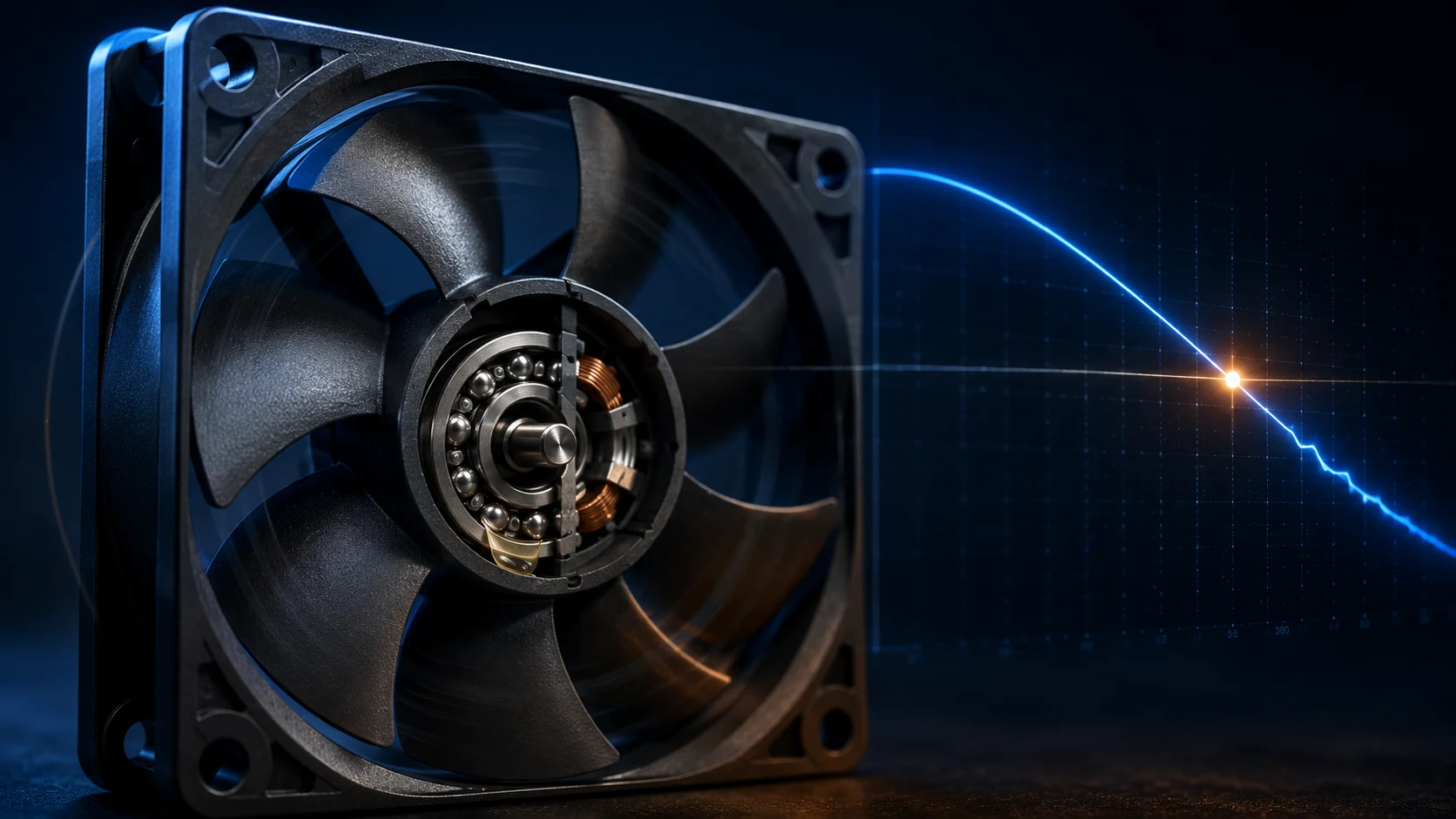
A P-Q curve plots static pressure (P) on the vertical axis against airflow (Q) on the horizontal axis. Every point on the curve answers one question: how much static pressure can this fan develop while still moving this much air? Read the other way: at this much resistance, this is the airflow you will actually get. The AMCA explanation of fan curves uses the same operating-point logic: fan performance and system resistance must be read together.
The curve matters because the two headline numbers on a datasheet — max airflow and max static pressure — only describe the two extreme endpoints. They say nothing about the middle of the curve, which is exactly where every real product operates. A fan without a published P-Q curve is like a car advertised only by its top speed and its maximum climbing angle: you know the extremes, but nothing about how it behaves anywhere in between.
Units matter when reading the axes. Airflow is quoted in CFM or m³/min; static pressure in Pa, mmH₂O, or inH₂O. Always confirm the unit before comparing two curves side by side — a curve plotted in inH₂O will look far flatter than the same fan plotted in Pa.
The shape of the curve also tells you about the fan family. Axial fans typically deliver high flow at low pressure; blowers trade flow for pressure. The steepness of the middle section tells you how sensitive the delivered airflow will be to changes in system resistance — a practical concern for any enclosure with filters.

The Two Ends: Shut-Off and Free Delivery
Both ends of the curve are places a real product should never live, yet datasheet shopping pushes engineers toward one of them.
At the left end sits the shut-off point: zero airflow, maximum static pressure. The outlet is fully blocked, the fan spins at full speed, consumes power and makes noise — but moves no air. A heatsink downstream of a fan operating here receives nothing.
At the right end sits the free delivery point: maximum airflow, zero static pressure. This is the number printed largest on the box. It is measured with no filter, no heatsink, no grille — nothing in the way. Real enclosures never present zero resistance, so delivered airflow is always lower than this number. The common failure mode is familiar: a fan rated 200 CFM in free air can deliver substantially less once it faces filters, fins and vent openings. Any numerical example must be tied to the actual system curve, because the installed result is not determined by the free-air number alone.
Between the ends, fan shaft power is not constant. For many fan types, power draw peaks somewhere in the middle of the curve rather than at either endpoint. A motor sized for the free-delivery condition can be overloaded at mid-curve, which is one more reason selection must be done against the curve, not against a single number.
Practical takeaway: treat both endpoints as boundaries of a capability envelope, not as performance targets. Selection work happens in between.
- Shut-off (Q = 0): maximum pressure, zero cooling — airflow fully blocked
- Free delivery (P = 0): maximum flow, zero resistance — a condition no enclosure provides
- Middle of curve: where power demand can peak — check motor sizing there
- Delivered airflow always sits left of the free-delivery number once any real resistance exists
The System Impedance Curve: ΔP = k·Q²
The fan curve describes what the fan can do. The system impedance curve describes what your enclosure demands. Selection is the conversation between the two.
Every element the air passes through — inlet grille, dust filter, cable bundles, PCB edges, heatsink fins, exhaust louvres — adds resistance. For the turbulent flow typical of electronics cooling, system pressure drop rises roughly with the square of airflow: double the flow and the resistance roughly quadruples.
The constant k captures the enclosure geometry: how open the vents are, how dense the filter media is, how tight the fin pitch is, how many bends the air must take. Two enclosures cooled by the same fan can sit at very different points on that fan's curve simply because their k values differ.
Because resistance rises so steeply, small airflow increases get expensive fast. Pushing a system from 100 to 150 CFM against a steep impedance curve may demand several times the pressure, which usually means a different fan type rather than a higher speed setting on the same one.
The impedance curve is best obtained by measurement or CFD simulation; component-by-component estimation gives a useful first pass for early layout decisions but carries wide uncertainty. The key discipline is to evaluate it at the worst case — a dust-loaded filter, not a clean one.
- Inlet and outlet openings — undersized vents choke the whole path
- Dust filter — resistance grows further as the filter loads over service life
- Heatsink fin arrays — usually the largest single pressure drop in the path
- Cabling, brackets and internal walls — set the airflow's detours
- Bends and duct transitions — each adds its own share of loss
The Operating Point: Where the Fan Meets Your System
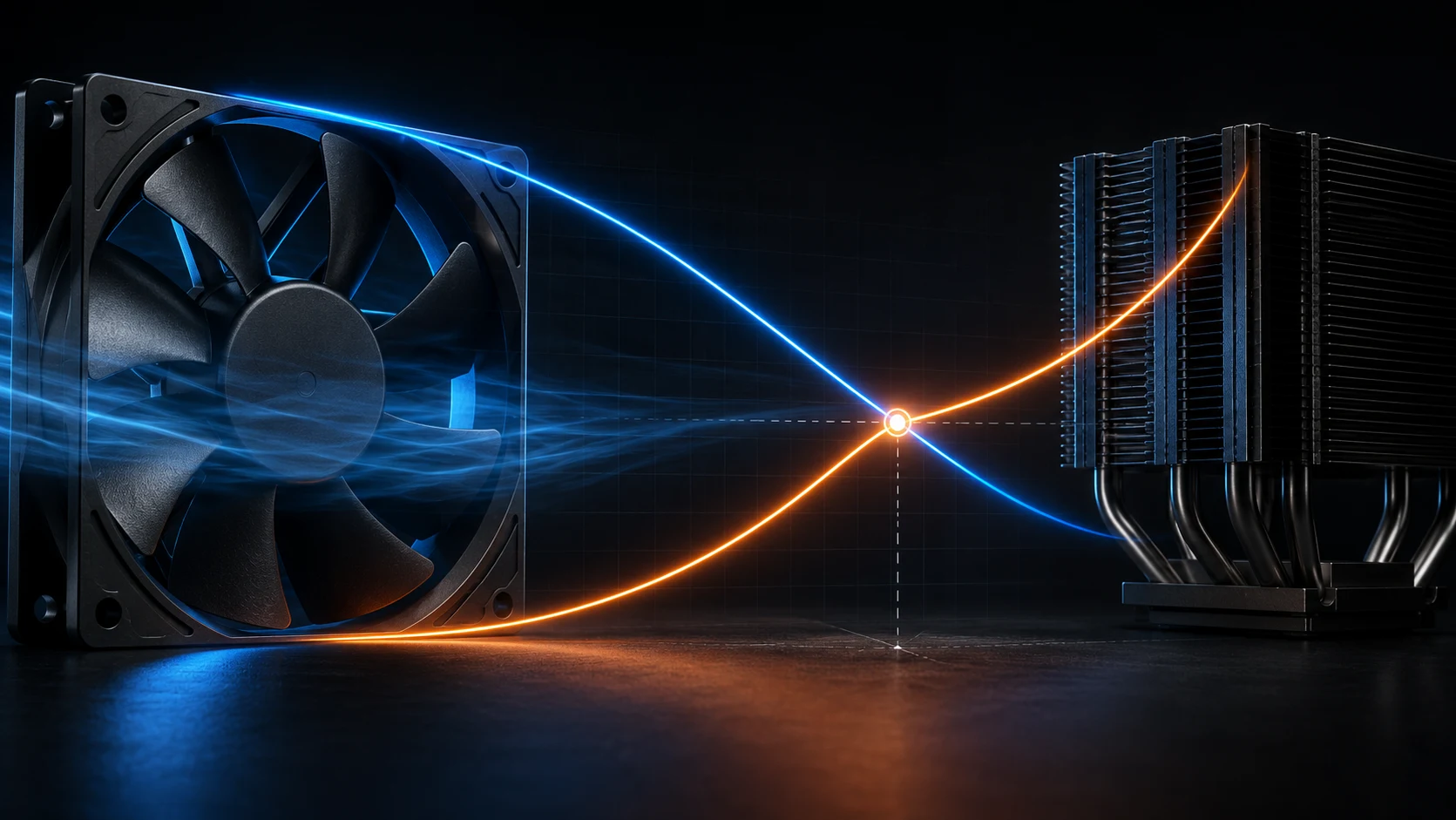
Plot the fan curve and the system impedance curve on the same axes. Their stable intersection is the operating point and the performance number that matters in the product.
The fan can only run along its own curve; the enclosure can only sit along its own. A stable intersection — the operating point — is where both conditions are satisfied at once. Project it down to the horizontal axis and you get delivered airflow; project it across and you get the static pressure the fan actually develops inside the product. If a fan curve has an unstable positive-slope region, more than one mathematical intersection can exist; the acceptable point must then be confirmed with the manufacturer's test data and application validation.
The operating point explains the classic field failure: a fan chosen by its free-air CFM turns out to sit at an operating point far to the left of that number once installed. The fan is not underperforming — it is doing exactly what its curve says against that impedance. The selection, not the fan, was wrong.
Use the interactive model below to build intuition. Drag the resistance slider to simulate a tighter enclosure and watch the operating point slide left along the fan curve — delivered airflow falls while developed pressure rises. Raise fan speed and the whole fan curve lifts: pressure capability grows with the square of speed while flow grows linearly, so the operating point moves up and to the right.
One honest caveat: the model uses a simplified schematic curve to demonstrate the mechanics of curve intersection. It is not representative of any specific product's measured data — real selection always needs the manufacturer's measured curve for the candidate fan.
The Stall Region and the Sweet Spot
Not every point on the curve is a healthy place to run. Axial fans in particular have a region near the top-left where behaviour turns unstable.
Toward the high-pressure end of an axial fan's curve, airflow over the blades begins to separate. The published curve may even show a local dip in this region. Operating here brings a cluster of symptoms that travel together: noise rises sharply, vibration increases, delivered airflow becomes erratic, and bearing loads fluctuate. In a quiet product or a densely populated enclosure, a fan parked in stall is both an acoustic problem and a reliability problem.
A practical first check is to keep the operating point to the right of the fan's peak-pressure region, with enough margin from the unstable knee for changes in system resistance. Then verify the point at clean and worst-case resistance while recording flow, pressure, speed, noise and vibration. The exact stable range varies with blade design, frame geometry, speed and fan type, so no universal percentage should replace the manufacturer's measured curve and application test.
Blower-type fans have a different personality. Their curves are typically smooth, without a pronounced stall dip, and they hold stable operation across a wide pressure range — at the cost of lower peak flow per frame size. That is why dense fin stacks and long, restrictive paths usually end up with blowers or high-static-pressure fan designs rather than open-frame axials.
When a first-pass operating point lands in or near stall, the fixes are structural, not cosmetic: reduce system impedance (bigger vent openings, straighter path), or move to a fan family whose curve shape suits the required pressure. Nudging PWM duty alone rarely rescues a point sitting deep in the unstable region.

- Stall region: flow separation — noise, vibration, erratic delivered airflow
- Sweet spot: the stable middle band; exact extent depends on fan family
- Axial fans: high flow, low pressure, stall-sensitive
- Blowers: lower flow, higher pressure, smooth and stable across the curve
Do Not Build a Curve from Mismatched Data
A P-Q curve is a conditional measurement, not a universal property that can be moved between voltage, speed, air density and installation states without checking the basis.
Before comparing curves, record the exact fan model, voltage, speed, air temperature or density, control state, rotation direction and test method. A 12 V curve and a 24 V curve may belong to different motor conditions; a PWM curve at one duty is not the same as a constant-voltage curve; and a curve measured with a different guard or nozzle may include a different installation boundary.
Use measured points in the operating region whenever possible. Interpolation between nearby points on the same documented curve can support an estimate, but extrapolating beyond the tested range or combining points from separate conditions can create a curve that the supplier never measured. If a supplier provides only maximum airflow and maximum pressure, treat the missing middle as an information gap rather than drawing a smooth line and calling it data.
The simple system model ΔP ≈ k·Q² is useful for a first-pass turbulent-flow estimate, but real paths can include leakage, flow separation, filters with changing loading and components whose resistance is not represented by one constant. Replace the estimate with a mock-up, CFD correlation or bench measurement before the final BOM when the thermal margin is tight.
- Keep voltage, speed, temperature, density, control state and test method attached to each curve.
- Interpolate only within the same documented curve and measured range.
- Do not combine endpoints from different models or operating conditions.
- Treat a missing middle of the curve as missing evidence, not as a smooth assumed line.
- Use CFD or representative bench data to replace the system-curve estimate before release.
What Shifts the Operating Point Over Time
The operating point you verify on the bench is not the one your product will run at in the field. Plan for the curve to move.
Filters age. As dust loads the intake media, the enclosure's resistance constant climbs — the system impedance curve steepens, and the operating point slides left and up: less delivered airflow, more developed pressure, higher acoustic output. A margin that looked comfortable on a clean filter can shrink into thermal trouble months later.
Air density changes the fan curve itself. P-Q data is measured at a reference density; at altitude or high ambient temperature the air is thinner, and the same fan at the same speed develops less pressure capability. Products destined for mountainous sites or hot outdoor cabinets need this checked explicitly, not assumed.
Speed is the intentional mover. Fan affinity laws describe the response: airflow scales with speed, pressure with the square of speed, and power roughly with the cube. This is what makes PWM speed control effective as a compensator — but it works best when the baseline operating point was chosen with margin in the first place.
The engineering response to all three is the same principle: select the fan so the clean-filter, sea-level operating point sits comfortably right of the minimum acceptable airflow, and verify the worst-case point — loaded filter, hot day, minimum speed command — before locking the design.

- Filter loading — impedance steepens, operating point slides left, airflow drops
- Altitude and temperature — thinner air lowers pressure capability at the same speed
- Speed control — flow ∝ N, pressure ∝ N², power roughly ∝ N³
- Worst-case verification beats best-case selection
Parallel and Series: Why Two Fans Are Not Twice the Fan
Combining fans multiplies neither airflow nor pressure the way intuition suggests. Which combination helps depends entirely on the system curve.
Under ideal conditions, two identical fans in parallel, side by side, produce a combined curve with roughly double the airflow at any given pressure. Two fans in series, one behind the other, produce roughly double the pressure at any given airflow. Those are statements about the combined fan curve — not about what your system will actually receive; inlet disturbance, spacing, leakage and installation losses can reduce the result.
What the system gains is decided by where the impedance curve crosses the combined curve. In a low-impedance enclosure with open vents, the system curve is flat, so parallel fans land near their combined-flow promise and delivered airflow rises substantially. In a high-impedance path — dense fins, loaded filter — the steep system curve crosses the parallel combined curve barely right of the single-fan point, and delivered airflow barely improves.
Series operation is the mirror image: it rescues high-impedance systems where pressure, not volume, is the constraint, and does little for an open chassis that already flows freely. This is also why adding fans to a marginal design can disappoint: if the bottleneck is impedance, more parallel capacity pushes against the same wall.
A useful planning rule: sketch the system curve first, then decide the combination. Parallel for low-impedance volume problems, series for high-impedance pressure problems — and always re-locate the operating point on the combined curve rather than assuming the ideal multiplier carried through.

- Parallel — combined curve stretches along the flow axis; rewards low-impedance systems
- Series — combined curve stretches along the pressure axis; rewards high-impedance systems
- High-impedance systems: parallel gains are marginal — check the combined crossing, not the multiplier
- Mixed goals may need a different fan family, not just more fans
Use the operating point to develop the right sample
The P-Q intersection is where a fan becomes a product decision: it tells us what to customize, test and carry into production.
MEGA Tech can work from the customer's system curve and required operating point. We review heat load, airflow target, pressure loss, available space, noise limit, voltage, speed range, control signal, feedback and environmental conditions. This keeps the selection tied to the actual enclosure instead of a free-air CFM headline.
If the candidate curve does not provide enough pressure margin or does not fit the mechanical and electrical interface, the fan can be customized around frame size and thickness, speed, airflow and static pressure, PWM, FG or RD feedback, connector and cable length, bearing choice, rotation direction, mounting and protection requirements. We can build a practical sample for established products, replacement projects or early-stage equipment that needs a small first build.
The sample is tested with the representative filter, grille, heat sink, duct, baffles and controller. We verify the operating point, temperature rise, noise, power, control response, fault feedback and loaded-filter behavior, then refine the configuration with the customer. Once approved, the measured curve and operating window become the baseline for reliable volume production.
- Define the system curve and required operating point before choosing the fan.
- Customize pressure, size, speed, control, feedback, wiring, bearing and mounting details.
- Validate the sample against real and degraded system resistance.
- Carry the approved measured curve into stable production.
P-Q Curve FAQ: Questions Engineers Ask Before Approval
These are the questions that usually appear after the first datasheet review - and before a fan is locked into the BOM.
Q: What is the difference between max airflow and airflow at the operating point? A: Max airflow is the free-delivery endpoint at approximately zero external resistance. The operating-point airflow is where the fan P-Q curve intersects the enclosure system curve. It is the number that belongs in the thermal calculation.
Q: Do I need a system curve if the fan has enough max static pressure? A: Yes. Max static pressure is the shut-off endpoint at zero flow. It does not tell you how much airflow the fan can deliver at your enclosure's required pressure. Overlay the measured fan curve and the estimated or measured system curve.
Q: How can I estimate an enclosure system curve before the prototype exists? A: Use a first-pass pressure budget for grilles, filters, heatsinks, bends and internal obstructions, or use CFD if the geometry is already available. Label the estimate and its uncertainty, then replace it with a representative mock-up or flow-bench measurement before the final BOM.
Q: Is the same fan suitable for an open chassis and a filtered cabinet? A: Not automatically. The filter, grille and internal path change the system impedance, so the operating point moves. A candidate that works in free air can become noisy, unstable or thermally insufficient after installation.
Q: Can I combine points from different fan voltages or RPM curves? A: No. Keep each point tied to its voltage, speed, air condition, control state and test setup. Use a supplier's documented fan-law conversion only within its stated limits, then validate the operating point.
Q: Will two fans in parallel double the delivered airflow? A: Only the ideal combined fan curve doubles its flow capability at a given pressure. The installed airflow still comes from the new intersection with the system curve. In a high-resistance path, the gain can be much smaller than two times.
Q: When should I choose a blower instead of an axial fan? A: Choose from the required operating point and curve shape, not a fixed pressure slogan. A blower is often the better candidate for a compact, restrictive path; an axial fan is often efficient for higher-flow, lower-pressure paths. The actual frame, speed, noise and measured curve still decide.
Q: What test data should I request from a fan supplier? A: Request the P-Q curve with units, voltage, speed and test condition; confirm whether the data is measured or estimated; then ask for noise, power, control response and any relevant test standard. Validate the candidate in the representative enclosure because catalogue data cannot capture every system effect.
Q: How do I verify that the selected operating point is healthy? A: Confirm that the measured point is outside the documented unstable region and meets the required airflow and pressure at the agreed voltage, speed and air condition. Repeat with representative restrictions and record noise, vibration, power and temperature so a nominal curve match becomes a repeatable acceptance result.
- Use max CFM and max pressure as endpoints, not as the installed result.
- Put the fan curve and system curve on the same axes.
- Mark clean and worst-case resistance separately.
- Treat parallel and series combinations as new curves that need a new operating point.
- Record voltage, speed, air density, test method and measurement condition with every comparison.
A Practical Selection Checklist
Reading P-Q curves is a habit more than a skill. This is the sequence that keeps the habit honest.
Start from the thermal requirement, not the catalogue. Compute the airflow the heat load actually needs, then treat every downstream decision as defending that number at the operating point — not at free delivery.
Work the impedance early. Estimate or simulate the enclosure's resistance at the target flow, and repeat it for the worst case: filter at service interval, highest ambient, minimum vent area after manufacturing tolerances.
Then, and only then, open the fan datasheets. Overlay candidate curves on the system curve and read the crossing. Confirm the candidate's measured P-Q data covers the operating region — a curve that stops short of your point is not a curve you can select against.
Finally, verify. Bench-test the real enclosure at the expected operating point, listen for stall symptoms at high-load states, and confirm acoustic behaviour under worst-case speed commands. A fan selected this way rarely surprises in the field.
- Define required airflow from the heat load and allowed temperature rise
- Estimate or measure system impedance — clean and worst-case (loaded filter)
- Overlay candidate fan curves; locate the operating point on measured data
- Keep the point clear of the stall region and inside the stable band
- Check power draw at mid-curve where motor load can peak
- Confirm behaviour at altitude, high ambient and minimum-speed states
- Validate on the real enclosure before finalising the BOM