Why a fan noise number is a test result, not a universal property
A cooling-fan noise value only has meaning with its operating point, distance, room background, mounting and measurement method. A datasheet value made in a controlled setup can differ from a cabinet result because a grille, filter, heatsink edge or thin panel changes the sound field. Treat dB(A) as evidence with conditions, not as a promise that follows a fan into every product.
This guide gives engineers a repeatable way to compare samples. It does not create a performance value for any MEGA Tech model. Where a project has no approved measurement, define the method and leave the result pending.
1. Define the operating point first
Record fan voltage, command, speed, airflow and static pressure. If PWM is used, record frequency and duty convention. If the fan is controlled by temperature, hold the thermal state stable long enough for speed and sound to settle. A free-air reading and a loaded-filter reading are different acoustic tests.
Use the fan selection tool to organise the duty point, then validate the candidate in the real assembly. The relevant question is the sound produced while the equipment achieves its required cooling, not the sound at an unrelated catalogue endpoint.
2. Understand dB(A), background and uncertainty
A-weighted sound pressure level applies a frequency weighting intended to reflect human hearing sensitivity. It is not the same as sound power, and it is not interchangeable with sones. Background noise must be recorded with the fan off. If the fan level is close to the background, the difference cannot be treated as a precise subtraction; repeat the run or improve the acoustic environment.
Record microphone type, calibration status, weighting, response setting, room condition, distance and orientation. A small change in distance can change the result substantially in a near field. Keep the same microphone position for every candidate.
| Item | Record | Why |
|---|---|---|
| Operating point | Voltage, command, RPM, airflow and pressure | Makes samples comparable |
| Geometry | Fan, guard, filter, grille and panels | Identifies system effects |
| Microphone | Distance, height, angle and calibration | Makes position repeatable |
| Room | Background, reflections and nearby machines | Shows measurement floor |
| Result | dB(A), spectrum note and repeat count | Separates broadband and tonal noise |
3. Measure the real enclosure
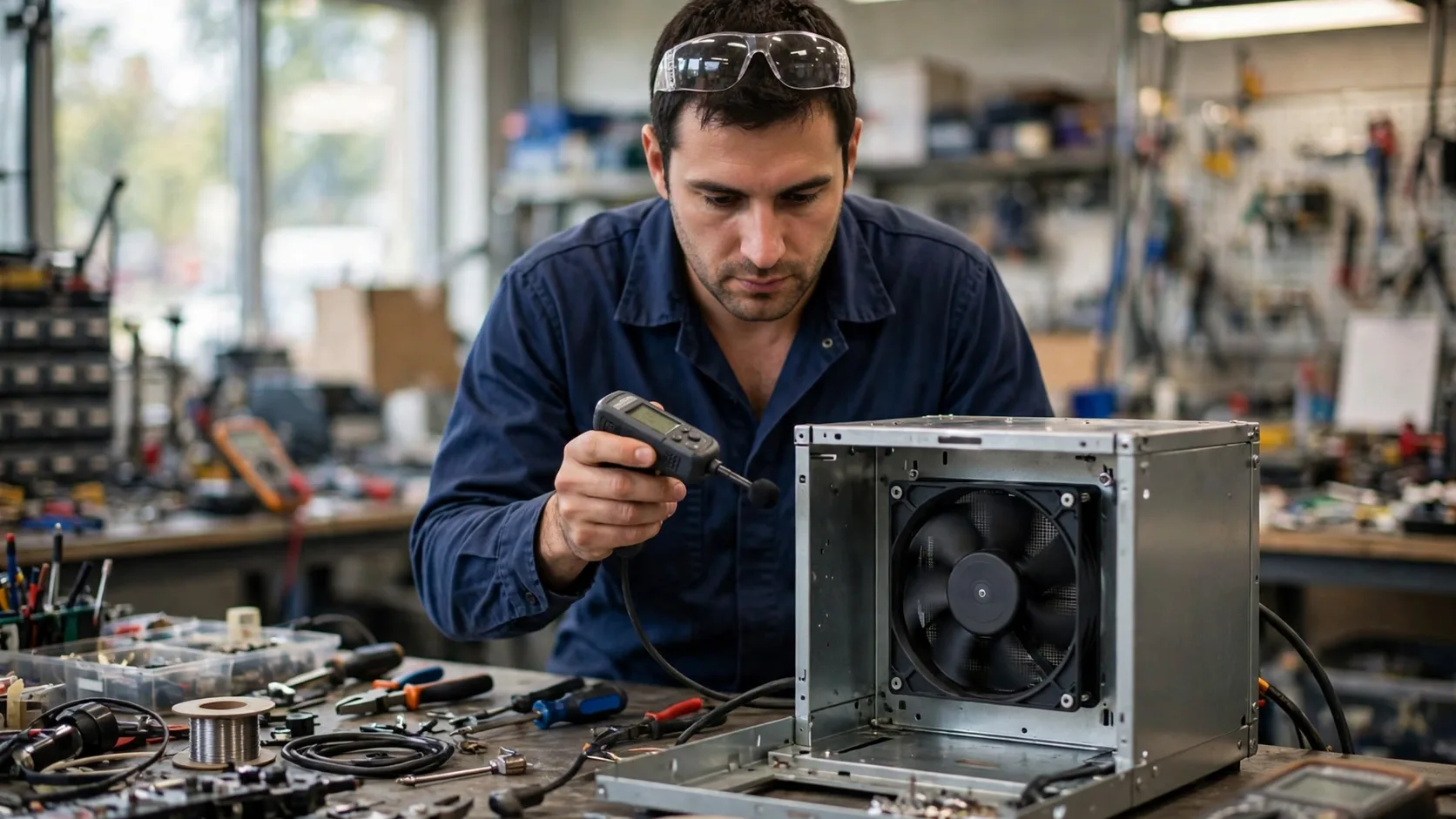
Install the fan with the production gasket, screws, guard, filter, cable route and panels. Measure at the agreed operator or user position as well as at a defined engineering reference point when useful. Note whether adjacent equipment is running. The real-enclosure noise guide covers the difference between an isolated fan and an installed system.
Repeat the measurement after opening a panel, removing a filter or changing the mounting torque only as a diagnostic. Those readings explain the mechanism; they are not interchangeable release results. Photograph the setup so the acoustic boundary can be reproduced.
4. Find tonal peaks and blade-pass interactions
Broadband airflow noise rises across a wide frequency range. Tonal noise appears as a narrow peak and may be caused by blade-pass frequency, motor commutation, PWM interaction, grille pitch or a structural resonance. A single dB(A) value can hide a tone that users find objectionable.
Capture a spectrum or at least note the audible frequency and speed at which it appears. Check clearance, grille geometry, cable contact, panel stiffness and the control command before changing the fan. A speed sweep can identify a resonance band; it does not by itself prove that one component is the root cause.

5. Separate airflow noise from vibration
A fan can sound loud because air is turbulent, because the motor creates a tone, or because vibration is transmitted into a panel. Place the microphone and vibration sensor consistently, then change one boundary at a time: gasket, torque, panel support, guard or speed. If the sound follows the panel, the assembly may be the amplifier.
Check contact marks, cable rub, loose fasteners and impeller clearance. Do not use a microphone reading to diagnose a mechanical fault without inspecting vibration and mounting. The objective is a cause-and-effect record that the supplier and equipment maker can both reproduce.
6. Compare samples fairly
Use the same fan envelope, guard, filter, mounting, voltage, command and temperature for every sample. Allow the system to stabilise and make at least the number of repeats required by the project method. Report average, range and any audible tonal observation rather than selecting one favourable reading.
If one candidate needs a different speed to meet airflow, compare at the same installed duty or clearly label the trade-off. A lower dB(A) value at lower airflow is not evidence of a quieter equivalent fan. Include power and hotspot temperature so acoustics are not separated from the design objective.
7. Write a practical acceptance record
A useful report states the test configuration, operating point, room background, microphone position, instrument status, raw readings, spectrum notes, mounting state and thermal result. Attach a photograph and the fan sample revision. If the room or instrument cannot meet the intended method, write the limitation instead of presenting a false precision.
For a custom review, send the noise target and measurement position together with airflow, pressure, voltage, control, envelope, environment and quantity. MEGA Tech can support fan selection, air-path review, sample validation and batch production; the assembled equipment owner remains responsible for the final acoustic acceptance.
| Check | Pass evidence | Common mistake |
|---|---|---|
| Background | Fan-off level recorded | Testing beside a running machine |
| Distance | Marked fixed microphone position | Moving the microphone between samples |
| Duty | Same installed flow and pressure | Comparing free-air and loaded states |
| Mounting | Production gasket and torque | Holding the fan by hand |
| Thermal state | Hotspot and outlet temperature recorded | Choosing the quietest but hottest result |
Engineer FAQ
Is dB(A) the same as sound power? No. dB(A) is a weighted sound-pressure result at a stated position; sound power is a different quantity and method.
Why is the datasheet number different from my cabinet result? The installed grille, filter, pressure, mounting, reflections and background can all change the result.
Can I subtract background noise directly? Only with an approved acoustic method and sufficient separation. Near the background floor, repeat or improve the setup.
Should I record RPM? Yes. Speed, airflow and pressure define the duty and help identify tonal bands.
What should I send for a sample noise review? Send the target duty, measurement point, enclosure, mounting, control, environment and any existing recording.
Questions for a Design Review
- What airflow and static pressure must the fan deliver during the noise test?
- Where is the microphone, and what is the fan-off background level?
- Are the production filter, grille, panels, gasket and cable route installed?
- Is a tonal peak present at a repeatable speed or command?
- Which result is measured, which is diagnostic and which remains pending?
- Does the quietest candidate still meet hotspot temperature and power limits?