One Enclosure, Three Different Cooling Jobs
A heated print chamber, an electronics compartment and a print head do not want the same airflow.
A warm, stable chamber supports engineering-material printing: ABS and ASA commonly target roughly 40 to 55 C of chamber air, polycarbonate and nylon sit higher, and the whole point is to slow the cooling of the part so it does not warp or crack between layers. The control board, power supply and motor drivers live under a different rule entirely - they are commonly rated for ambients near 40 C, they rely on airflow rather than warmth, and a chamber-hot machine that bakes them shortens their life. A third, local job sits at the print head, where a small jet protects the melt zone and the printed surface without disturbing either of the other two volumes.
Community troubleshooting reports the same practical failure again and again: the chamber temperature looks acceptable, but the electronics compartment or the cold end sees a different temperature and fails first - a power stage that skips steps at hour six, a display that darkens, a spool holder printed in PLA that sags in a 55 C chamber. Every one of those is a loop boundary that was never drawn. Treat each loop as a separate thermal requirement with its own intake, exhaust, fan duty and measurement point.
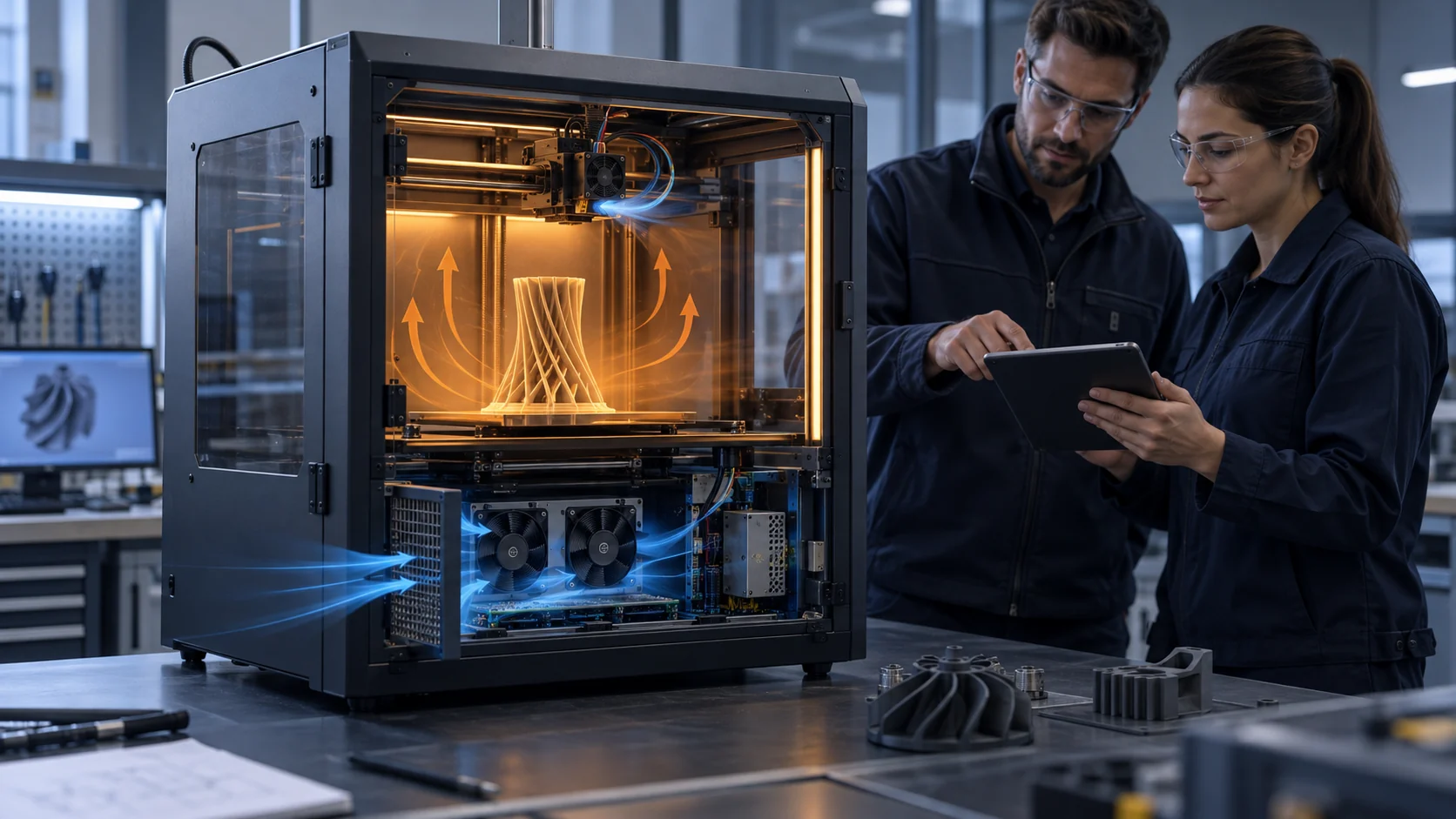
The figure below shows the separation this article asks you to build and to prove: one insulated wall between the warm volume and the cool one, three visible air paths, and no shared air between a job that needs heat and a job that fails in it.

Define the Three Thermal Contracts
The design becomes selectable when every fan is attached to a protected zone and an acceptance measurement.
Do not publish one universal chamber temperature or fan speed. Material, printer geometry, heat load, sensor placement and electronics ratings decide the limits. The defensible method is to state the intended print mode and validate the named zone under the actual enclosure condition.
Write the contract for each loop before selecting anything: which zone the fan protects, what the acceptance measurement is, where the sensor sits, and which condition - cold start, settled chamber, end of a long print - the record must show. A fan attached to a named zone with a named measurement can be selected, tested and accepted. A fan attached to the idea of ventilation cannot.
For a first electronics-airflow estimate, 120 W of heat-to-air load with a 15 K permitted air rise needs about 0.0066 cubic metres per second, or 14 CFM, from the heat balance Q = P / (density x specific heat x temperature rise) at 1.2 kilograms per cubic metre and 1,005 joules per kilogram-kelvin. It is only a heat-balance estimate: filters, grilles, ducts, board geometry and elevated inlet temperature decide the final fan operating point.
| Loop | Primary purpose | Evidence to record |
|---|---|---|
| Chamber circulation and exhaust | Maintain the defined process environment | Chamber temperature at a named sensor, command and air-path state, exhaust rate if vented |
| Electronics cooling | Keep controller, power supply and drivers within their specified conditions | Fan inlet temperature, board or heat-sink temperature, voltage, RPM/FG and pressure path |
| Local hot-end and part cooling | Control the local print process without disturbing the chamber unnecessarily | Duct direction, command, local temperature and print-process acceptance |
Interactive Model: Trace Each Air Loop
Switch the loop to see the protected zone, the intended airflow path and the measurement that closes the decision.
This animated model is an engineering communication aid. It does not replace printer-specific firmware safeguards, electrical protections or safety validation.
Step through the three loops to see why a design that merges them keeps failing: each loop has a different protected zone, a different acceptable air temperature and a different measurement that proves it.
The Chamber Loop: Hold the Process Temperature
Warm air, slow movement, and one honest sensor decide whether engineering materials print or warp.
The chamber loop is unusual among cooling jobs: its success is measured by stability, not by removal. Community guidance converges on the same targets - roughly 40 to 55 C of chamber air for ABS and ASA, higher for polycarbonate and nylon - and on the way to reach them: seal the volume, let bed and hot-end waste heat fill it, circulate gently so no corner stratifies, and only then consider a controlled heater. A circulating fan in this loop exists to even out the temperature, and a small thermostatic exhaust exists to keep the volume from climbing past its setpoint.
The chamber loop also carries a constraint the other two do not: every degree of chamber air is a degree the rest of the machine must tolerate. A sealed enclosure printing ABS can pass 70 C within an hour by community accounts - hot enough to soften PLA-printed machine parts and to push every component inside toward its limit. That is exactly why the next loop exists as a separate contract rather than a shared hope.
Materials decide the target, and the target decides the fan. PLA should not enter a warm chamber at all - its low softening temperature turns chamber warmth into heat creep and jams - while the chamber that serves ABS beautifully may still sit below the needs of polycarbonate. State the material first; the loop follows.
The Electronics Loop: Fresh Air Over the Board and the Power Supply
Electronics are rated for an ambient, not for a process. Give them their own air.
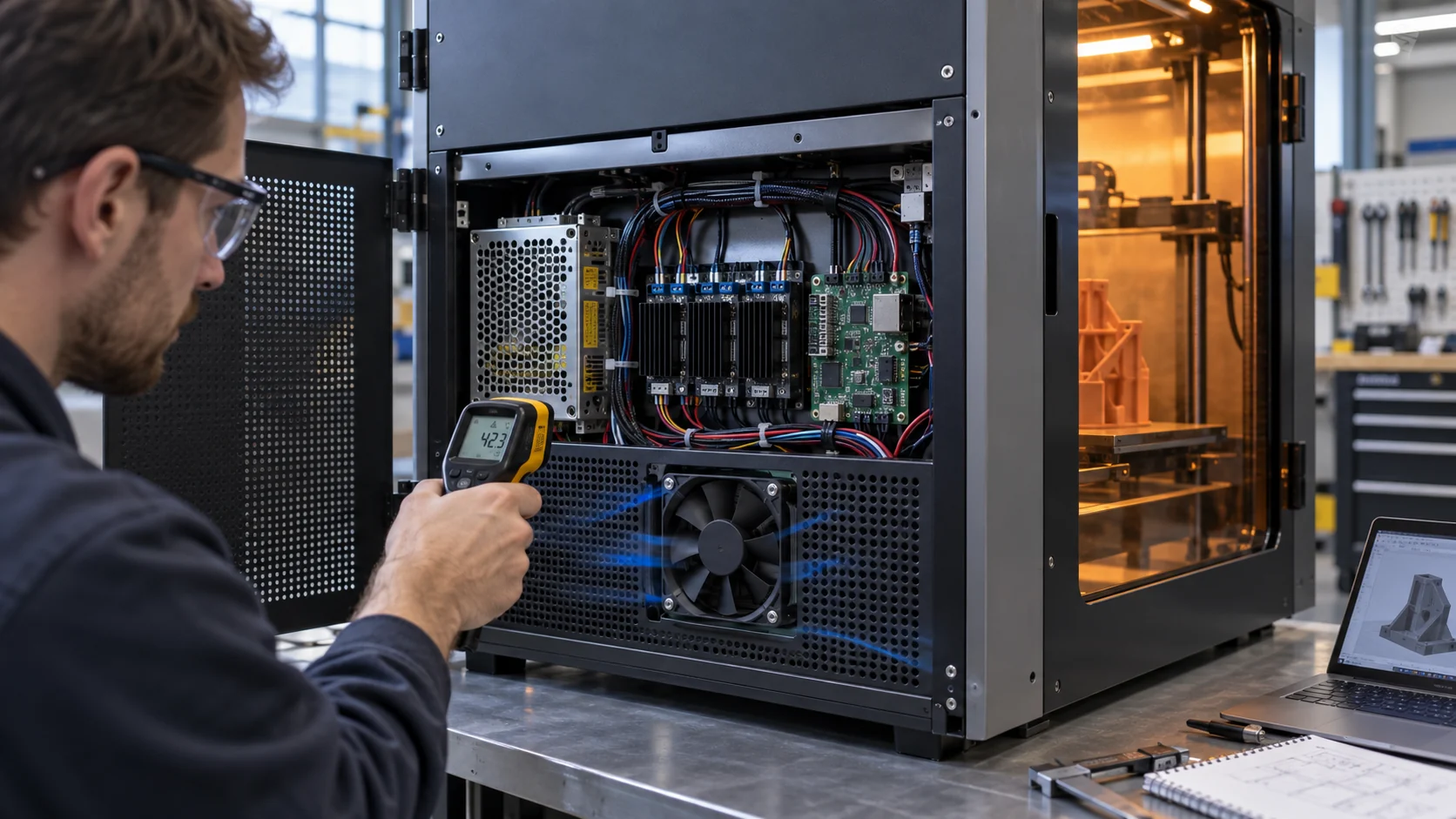
Control boards, power supplies and stepper drivers are commonly rated for ambients around 40 C, and their electrolytic capacitors age faster at every rise above that. Community reports put the failure shape plainly: in a sealed chamber the interior air reaches 50 to 55 C during a long ABS print, stepper drivers skip steps mid-print, power supplies age early, and displays misbehave. The well-designed enclosed machines answer with architecture, not heroics - the board and the power supply live outside the heated volume, breathing room air.
Where the design cannot relocate the electronics, isolate them: an insulated partition, a dedicated intake with a filter, a cross-flow across the board and the power supply, and an exhaust that leaves the machine without passing through the chamber. The intake grille, filter, cable congestion, heat sinks and outlet all belong in the pressure budget - the enclosure pressure-drop guide walks that arithmetic, and a small fan chosen at free delivery will lose its useful flow once those restrictions are installed.
Prove the loop in the worst state, not the best: chamber settled at the target print condition, electronics fan at its normal command, and a record of fan inlet air, named board or heat-sink temperatures, voltage, RPM and current. Where a filter sits in this path, include its loaded condition in the test - the electronics loop that passes only with a clean filter is a loop with a timer on it.
Read the Heat Balance Before You Pick Any Fan
One equation turns a thermal complaint into a fan requirement.
The heat balance Q = P / (density x specific heat x permitted temperature rise) converts an electronics heat load into a first airflow number. It is the same 120 W to 14 CFM estimate from the table section above, and it is worth stating what the equation does and does not say. It says how much air removes the heat if the air arrives cool and leaves after absorbing the load. It says nothing about the pressure the path imposes, the temperature of the air available, or whether the flow actually crosses the hot components instead of finding a shortcut around them.
Use the estimate as a selection floor, then correct it with the installed realities. An inlet already warmed by the chamber cuts the permitted rise; a filter in the loaded state raises the pressure; a duct with two bends spends margin you budgeted for flow. Why normal RPM does not prove cooling airflow shows how a fan can pass every electrical check while delivering less flow than the estimate assumed.
The same discipline closes the loop after installation: measure the fan inlet temperature and the protected component temperature in the real enclosure at the intended print condition. If the difference between the estimate and the measurement is large, the path - not the equation - is where the answer lives.
The Part-Cooling Loop: Small, Local, Fast
A third loop protects the melt zone and the part surface - and its whole skill is not touching the other two.
Part cooling is the smallest fan job in the machine and the easiest to get wrong twice: too little and overhangs sag, too much directed at the wrong place and the melt zone chills, layers bond poorly, or the chamber's stable air turns into a draft across the build. The part-cooling duct aims at the zone just past the nozzle, runs at its own command, and is validated by print results - overhang quality, surface finish, bridging - rather than by any temperature record from the other loops.
Keep the three loops independent in control as well as in air. A part-cooling command should not disturb the chamber sensor; a chamber fan should not change the jet at the nozzle. Where a machine prints both open-material and warm-chamber jobs, the chamber and part-cooling balance guide works through how the two settings trade against each other and how to record a setting that serves both.
For the fan selector, this loop usually wants a compact blower: high pressure in a small space, a duct that survives the machine's vibration, and a duty profile that follows the print rather than the chamber. Its acceptance test is a printed part, photographed and kept with the project record.
Match the Fan to the Hottest Air It Will Ever Breathe
Every loop has a worst-case air temperature. The fan has to live in it.
A chamber circulation fan runs at the process temperature for the whole print; an electronics-bay fan runs at whatever the bay reaches on a summer afternoon with the chamber settled. Fan selection for either loop starts from that hottest air, not from the laboratory ambient: bearing life, lubricant behaviour and the electronics inside the fan itself all follow the air they sit in, and the high ambient margin guide shows how to keep the same discipline in industrial enclosures.
The electrical side deserves the same respect. Measure voltage at the fan connector during a settled hot print, not only at the supply - harness resistance and warm connectors spend volts you budgeted for speed. Confirm the command interface, the FG or tach feedback and any alarm behaviour against the fan document at the real operating condition, because a signal that reads correctly on the bench can sit near its limit inside a 55 C volume.
State the life expectation in the requirement: hours per day, days per year, and the ambient the fan must survive while doing it. A fan chosen for the average day is a fan with a scheduled failure on the hot one.
Representative Prototype Review
An anonymised prototype example shows how separating the paths reduces sample rework.
A startup team developing an enclosed FDM machine originally used one rear fan to exhaust the whole enclosure. The review separated the requirements: a controlled chamber path for the print mode, a filtered fresh-air path for the electronics compartment and a compact local blower path at the print head. MEGA Tech reviewed available fan space, direction, voltage, connector, PWM/FG requirement and the installed restrictions for the normal cooling assembly.
The prototype acceptance plan measured the chamber sensor and electronics-compartment inlet separately, then compared controller and power-stage temperatures with the defined printing duty. This is an anonymised representative engineering scenario, not a named customer result, performance guarantee or safety certification.
MEGA Tech builds custom DC and EC cooling fans - axial fans for chamber circulation and electronics bays, backward curved centrifugal blowers for compact part-cooling ducts - selected from the operating point rather than the frame size, with the connector, cable and control interface built to the machine's requirement. To quote and build a sample we need from you: the enclosure drawing, the target chamber condition by material, the electronics heat load and its available space, supply voltage and tolerance at the fan connector, the control and feedback interface, the noise target and the life assumption. We do not supply heaters, controllers, firmware protections, filters or the safety concept - those stay with the machine designer, and our fans must prove themselves inside your architecture, not around it. Product safety, thermal-runaway protection and final compliance remain system-level responsibilities.
Recommended Fan Starting Points
These catalogue series may be suitable starting points for this application. Final selection depends on the installed airflow, static pressure, voltage, noise target and operating environment.
Request a sample for validation on your equipment.
Engineer FAQ: Airflow in a Heated Printer Enclosure
Use these questions before freezing the fan layout or ordering a first sample.
Q: Can one fan cool the chamber and the electronics? A: Only if the complete heat and air path is deliberately designed and validated for both jobs. In a heated enclosure, separate paths are usually easier to measure and control, and they keep the electronics out of the process air.
Q: Should the electronics fan draw chamber air? A: Do not assume so. Compare the actual inlet temperature against the component ratings, then validate the pressure path and the board temperatures in the intended print mode. Chamber air is usually the wrong air for electronics.
Q: Does a faster fan always solve electronics overheating? A: No. First check inlet temperature, filter and grille restriction, bypass, heat-sink contact, the fan operating point and the real voltage at the connector. Speed is the most expensive answer and often not the answer at all.
Q: What chamber temperature should we target? A: State the material first. Community guidance commonly puts ABS and ASA near 40 to 55 C of chamber air, with polycarbonate and nylon higher and PLA kept out of warm chambers entirely. The sensor location and the record matter as much as the number.
Q: What should a custom sample prove? A: Installed airflow or pressure at the stated point, controller and power-stage temperature, startup and restart behaviour, command and RPM feedback, current, noise where relevant, and the agreed enclosure configuration - measured in the machine, not on the bench.
Q: How do we keep the three loops from fighting each other? A: Separate air paths, separate commands, separate measurements, and one acceptance record per loop. If two loops share a sensor or a fan, the design has already merged them.
Questions for a Design Review
Bring these to the meeting where the cooling architecture is frozen.
1. Which air does each fan move, and which wall or duct guarantees it stays that way?
2. Which sensor proves each loop - chamber, electronics inlet, and the print result - and where exactly does it sit?
3. What is the hottest air each fan breathes in the worst intended print, and is the fan selected for it?
4. What is the pressure budget of the electronics path with the filter in its loaded state?
5. Which component ratings decide the electronics loop acceptance, and who supplied them?
6. What does the chamber loop do when the print ends - and does the record show the cool-down state too?
7. Who owns the safety concept - thermal runaway, fume handling, fire detection - outside these three normal cooling loops?