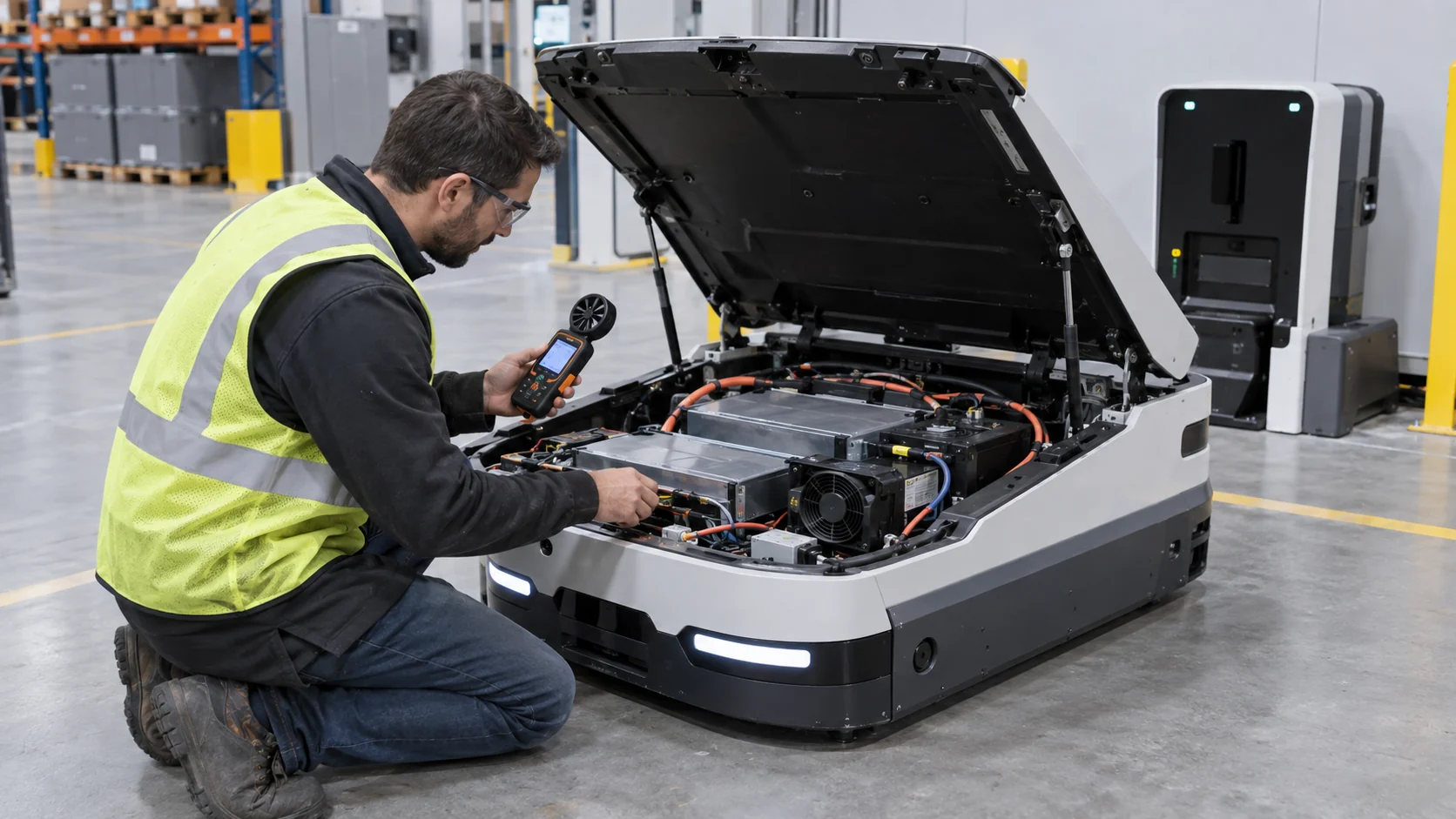
An AMR Can Be Cool on the Route and Hot at the Dock
Charging changes the thermal problem: the robot may stop moving, but the battery, charger interface and DC-DC electronics can continue adding heat inside a compact enclosure.
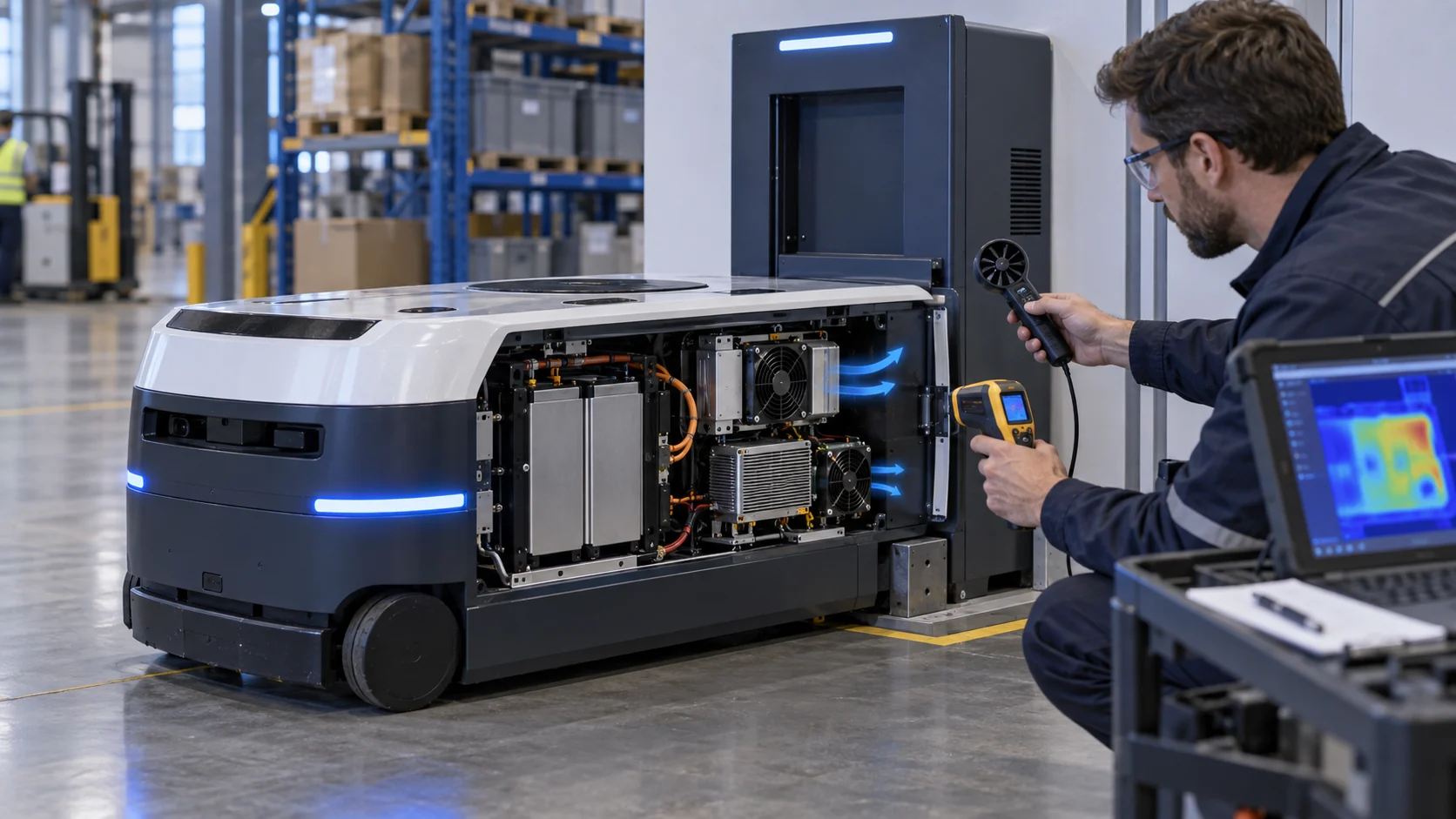
An autonomous mobile robot is often evaluated during navigation first. That is useful, but it can hide the condition that sets the cooling requirement. During a route, the drive inverters and compute module may dominate the heat load. At the charging dock, the wheels are quiet while the battery is accepting energy, the charger or DC-DC stage is active, the wireless computer remains online and the robot may be parked close to a wall. The air path, heat load and ambient boundary are all different.
This matters because an AMR is not a desktop enclosure with a constant load. It moves through temperature zones, collects dust, changes battery state and repeatedly enters a dock. The fan may also be commanded down during a quiet charging period even though the battery-side electronics are still dissipating power. If the fan was selected from free-air CFM or from a short bench demonstration, the installed pressure and docked duty can be missed.
This article presents a case-style method for selecting and validating a cooling fan for an AMR charging and battery compartment. It covers heat mapping, pressure measurement, fan type, PWM and feedback, contamination, vibration, acoustic acceptance and a sample-to-production workflow. The numerical examples are engineering estimates for planning, not a published customer result or a guaranteed performance value.
Start With the Charging Heat Budget
The first question is not which fan is popular; it is how many watts enter the air path during the longest realistic charge and standby condition.
Separate the charging state into battery conversion loss, charger or DC-DC loss, balancing electronics, contactor and protection loss, communications, compute and fan power. If the charger is external and only the battery management electronics are inside the robot, do not put the external charger's entire loss into the robot enclosure. Conversely, if a DC-DC stage, charge relay or power distribution module is inside the compartment, include its heat even when the robot is stationary.
Use measured efficiency when available. If a converter delivers 1,000 W at 95% efficiency, its approximate internal loss is 1,000 x (1/0.95 - 1) = 52.6 W. If a second 48-to-24 V stage adds 24 W, the battery-side electronics and computer add 78 W, and the fans and control electronics add 8 W, the illustrative enclosure heat load is about 163 W. This is a planning estimate; the final value should come from the actual charge profile and component data.
Record both average and peak loss. A short current limit or balancing event may not determine the steady air requirement, but it can raise a local heat sink quickly. A docked AMR can also have a warmer ambient than the navigation aisle because charging stations are installed against walls, under shelves or beside power equipment. Define the maximum ambient and the allowed air-temperature rise before calculating airflow.
Also record the supply voltage at the fan connector during charge contact, not only at the power supply. Cable length, protection devices and a shared DC bus can create a short low-voltage condition exactly when the fan must start. A fan that spins reliably on a bench may stall or start slowly when the AMR docks. Check startup current, minimum starting voltage, restart after a brownout and the time required for FG feedback to become valid.
| State | Record | Design question |
|---|---|---|
| Ready at dock | ambient, standby watts, fan command and battery temperature | Does the fan start reliably without nuisance noise? |
| Normal charging | charge power, converter efficiency, inlet and hotspot temperature | Where is the continuous operating point? |
| High-rate charging | battery current, DC-DC heat sink and recovery time | Does the local peak consume the thermal margin? |
| Charge plus compute | processor utilization, wireless load and enclosure temperature | Can separate zones reject heat at the same time? |
| Loaded inlet | filter pressure, fan feedback and useful airflow | What is the service-limit operating point? |
Estimate Airflow, Then Check the Installed Pressure
A heat-balance equation provides a starting value; the fan P-Q curve and the actual docked air path determine whether that value is achievable.
For a ventilated enclosure, use Qv = P / (rho x cp x delta-T). With 163 W of estimated heat, air density of 1.15 kg/m3, heat capacity of 1005 J/(kg K) and an allowed air rise of 10 K, the starting airflow is about 0.0141 m3/s, or 50.8 m3/h. This is the ideal air-side requirement before filter, grille, duct and recirculation losses. It is not a catalogue fan selection.
Now map the pressure path at that flow. An illustrative clean docked path may include 28 Pa at the intake grille, 34 Pa at a dust mesh, 42 Pa through the battery-side baffle, 31 Pa across the heat sink and guard, and 25 Pa at the outlet. The clean total is about 160 Pa. If dust loading adds 35 Pa, the service-state total becomes roughly 195 Pa. The fan must be checked at both 50.8 m3/h and the pressure associated with each state.
This is where an axial fan and a blower can separate. A compact axial fan may be efficient when the grille and heat sink are open and aligned. A centrifugal blower may be easier to package when the outlet must turn through a narrow duct or when the pressure floor is high. A larger, slower axial fan may reduce tonal noise if the robot has panel space. The decision must follow the installed P-Q working point, not the fan label alone.
Do not forget bypass flow. A gap around the battery tray, an unsealed cable slot or a clearance under the service cover can let air take an easier route around the charger heat sink. The fan can then show acceptable RPM and current while the limiting component receives little useful flow. Temporarily seal suspected gaps during commissioning, compare the temperature response, and then decide whether the production solution is a gasket, baffle, duct or revised fan position.
Animated Model: Charging Heat, Airflow and Filter Loading
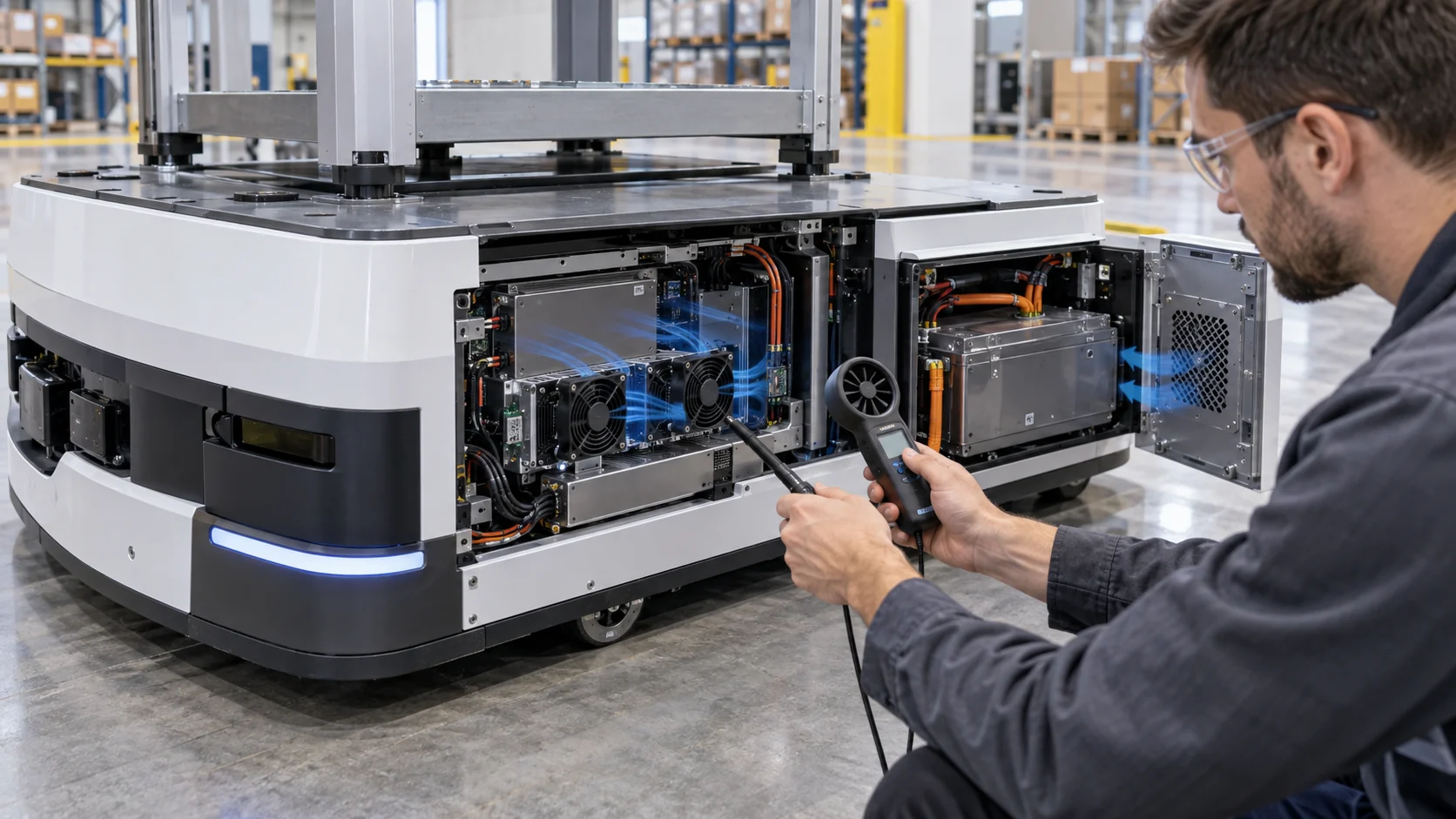
The schematic separates blue cooling air, amber charger heat and red recirculation so the validation plan can target the real failure mode.
Use the figure to create three test states: normal route return, charging at the normal power level and high-rate charging with the computer still active. In each state, measure the battery module, charger or DC-DC heat sink, compute inlet and exhaust temperature. An average enclosure temperature is not enough because a narrow baffle can leave the converter in a local recirculation pocket.
Repeat the test with the service panel closed, the final filter installed and the AMR positioned at the dock. A dock wall can return warm exhaust to the intake. A charging cable can also block a grille or change the pressure loss. The animation is a qualitative explanation, not CFD, a product rating or data for a specific robot. The physical test remains the acceptance evidence.

Dust, IP Boundaries and the Service Interval
A protected charging compartment is only as good as its filter seal, panel gasket and maintenance definition.
Warehouse dust, cardboard fibres, floor debris, condensation and cleaning chemicals do not create the same fan requirement. Start with the enclosure boundary and the service procedure. Identify every inlet, outlet, cable gland, door seam and pressure equalization path. A fan with a nominal IP rating cannot compensate for a filter frame that leaks around its edge or a service panel that does not close against the gasket.
A filtered positive-pressure path can reduce uncontrolled ingress, but filter pressure rises with loading. An exhaust-only arrangement can pull dusty air through every gap. A sealed loop or heat exchanger may protect the electronics but adds thermal resistance and removes the simplicity of direct air exchange. The correct architecture depends on the robot environment and should be validated with the final dock, not copied from a laboratory prototype.
Define the filter service limit from pressure and temperature evidence. A fan RPM alarm alone is insufficient because the rotor can remain at speed while useful airflow falls. Combine filter differential pressure, fan FG or RD feedback, inlet temperature and the limiting component temperature. The service instruction should say what to measure and what happens if the limit is ignored.
PWM, FG and Fault Response During Charging
Variable speed can save energy and reduce charging-bay noise, but the control strategy must handle low voltage, startup and faults.
Use the limiting-zone temperature as the feedback variable and add feed-forward from charge power where the charger telemetry is available. A fan that waits until the heat sink is already hot may respond too late. Add hysteresis and a minimum run time so the fan does not hunt around a narrow threshold. Verify the command at the lowest battery-side supply voltage, not only at a stable laboratory supply.
For an illustrative energy estimate, two 24 V fans drawing 0.18 A each consume 8.64 W at full input. If the fans operate at 35% average input for 12 hours of charging and at full input for 2 hours of high-rate charging, the idealized daily fan energy is 8.64 x (0.35 x 12 + 2) = 53.4 Wh. This is not a range claim; it simply shows why a validated variable-speed strategy can matter for a mobile platform.
Test fan disconnected, locked rotor, FG missing, RD active, sensor unplugged, filter pressure high and controller restart at low voltage. The AMR should enter a defined protective state instead of silently accepting a normal-looking command. Tachometer feedback proves rotation, not that air reaches the battery-side heat sink.
An Anonymous Customer Scenario: Hotspot After Docking
A European warehouse-robot developer found that the AMR passed route testing but approached its thermal limit after repeated high-rate charging at a warm dock.
The prototype used one compact axial fan pulling air through a side grille and exhausting behind the battery service panel. During navigation, the inverter and computer loads were acceptable. At the dock, charge power increased while the vision system remained online. The robot was close to a wall, and the warm exhaust returned toward the grille. The fan command remained constant, but the DC-DC heat sink became the limiting location.
MEGA Tech reviewed the enclosure section, charge profile, supply voltage, filter opening, fan direction, feedback wiring and temperature logs. The team compared the original axial arrangement with a pressure-matched sample and a compact blower against the installed pressure. A revised baffle directed air across the converter heat sink instead of allowing it to bypass through the cable opening.
The customer then repeated normal charging, high-rate charging and charge-plus-compute tests with the final service panel installed. The resulting validation record connected charge power, fan operating point, filter pressure and hotspot temperature. The change was not justified by a larger free-air number; it was justified by a measured improvement at the loaded, docked working point.
This is an anonymized engineering scenario, not a public customer performance claim. Its transferable lesson is to treat the charging dock as a thermal operating state, not as a parked version of the route test.
| Test | Measurements | Release decision |
|---|---|---|
| Normal charge | charge power, inlet, battery module and converter temperature | confirm continuous margin |
| High-rate charge | current, heat-sink slope, fan command and recovery | check local peak and transient margin |
| Docked position | wall clearance, exhaust temperature and recirculation | confirm the real installation path |
| Loaded filter | differential pressure, airflow and fan feedback | define maintenance threshold |
| Fault injection | fan stop, FG loss, sensor loss and restart | confirm controlled protection |
From Prototype Sample to Production Fan
The best fan choice is the one that survives the final air path, electrical interface, environment and service cycle.
MEGA Tech can review custom DC axial fans, compact blowers and backward-curved centrifugal options for AMR battery compartments, charging docks, DC-DC converters, vision computers and mobile service robots. The review can include P-Q behavior, clean and loaded filter pressure, fan direction, PWM or voltage control, FG/RD feedback, connector position, startup, vibration, bearing selection, IP and corrosion exposure, noise and sample iteration.
For a first review, send the enclosure section, battery and converter loss data, charge profile, maximum ambient, inlet and outlet restrictions, filter pressure at the service limit, voltage tolerance, control interface, feedback requirement, fan envelope, noise target, quantity and environment. A short thermal log from the real robot and dock is more useful than a request for maximum CFM alone.
We also support cost-competitive replacement fans for Sanyo Denki, SUNON, Delta, NMB and ebm-papst when the replacement is verified at the same installed pressure, voltage, mounting, feedback and environmental condition. Same frame size does not automatically mean equivalent cooling. The sample must be checked on the customer's robot before a production decision.
Engineer FAQ: AMR Charging and Battery Cooling
Short answers for a design review before the fan and charging enclosure are frozen.
Q: Can I size the fan from battery capacity? A: No. Capacity is stored energy, not enclosure heat. Use measured or estimated conversion, charger, DC-DC, compute and control losses during the charge state.
Q: Is a clean-filter airflow result enough? A: No. Test the loaded-filter pressure and the docked position. The fan operating point moves when the filter and outlet resistance change.
Q: Why does the battery temperature look normal while the converter is hot? A: The zones may be separated by a baffle or bypass path. Measure the local heat sink and check useful airflow at that zone.
Q: Should I use an axial fan or a blower? A: Use an axial fan when the path is short and open; consider a blower when the outlet must turn, the path is narrow or the pressure requirement is high. Compare both at the installed P-Q point.
Q: What should a custom fan supplier receive? A: Provide heat loss, charge duty, airflow and static pressure at that airflow, filter pressure, voltage, control, feedback, envelope, noise, vibration, quantity and environment.
Questions for the Design Review
Use this checklist before releasing an AMR charging dock or battery-compartment fan.
- Which charge state produces the highest repeatable heat load inside the robot?
- Are charger, DC-DC, balancing and compute losses separated from external dock losses?
- What are the clean and service-limit pressure drops at the required airflow?
- Does the fan meet the working point at the highest ambient and lowest permitted voltage?
- Could the dock wall, charging cable or service panel recirculate warm exhaust?
- Are battery, converter and compute sensors located near their actual limiting zones?
- Have PWM, FG/RD, startup, locked-rotor and sensor-fault behaviors been tested?
- What exact P-Q and enclosure information will be sent for the custom sample?