Fan Noise Is a System Problem, Not Just a Fan Rating
A 3D printer can pass a fan bench test and still produce an objectionable tone, toolhead vibration or motion error after the fan, duct and bracket are installed.
High-speed 3D printers put cooling hardware close to moving axes, thin sheet-metal panels and lightweight toolheads. The same compact DC fan that sounds acceptable on a fixture can become a sharp tonal source when its discharge meets a restrictive nozzle, when a printed bracket flexes, or when the toolhead passes through a structural resonance. A useful design review therefore separates aerodynamic noise, blade-pass tone, motor commutation, structural vibration and motion-related sound.
The practical question is not only ‘how many decibels is the fan?’ It is: at the installed operating point, which source dominates, how does it change with RPM and position, and does the vibration reach the print or the machine frame? This distinction matters to a printer OEM, a service team and a fan purchaser. Replacing the fan without identifying the path can lower one number while leaving the annoying tone or print artifact unchanged.
This article gives a validation sequence for hotend, part-cooling, electronics-bay and chamber fans. The examples are planning values, not universal limits or MEGA product ratings. Use the selected fan curve, real duct, printer structure, material process and local acoustic requirement for the final acceptance decision.
Map the Noise Source Before Changing the Fan
The fastest diagnosis is a controlled comparison of fan command, axis motion and the installed air path.
Start with a safe baseline: record the printer model, toolhead, duct, fan command, supply voltage, print state, axis position and enclosure condition. Record the same microphone location each time. Then run the fan at several steady commands with the axis stationary. Repeat the sweep while the axis moves through the positions where the sound is worst. The difference between these two runs tells you whether the fan is intrinsically loud or whether motion, cable routing, bracket contact or panel resonance is amplifying it.
A simple isolation sequence is often more useful than a new part. Run the fan disconnected from the duct if the machine allows it, then with the duct installed, then with the toolhead cover installed. Do not operate a hotend without its required thermal protection. If the tone appears only after the duct is installed, inspect the outlet area and pressure point. If it appears only when the axis moves, inspect clearance, cable chains, screws, bearings and the bracket interface.
Use touch carefully as a screening method, not as a measurement. A fingertip or temporary compliant pad can reveal that a panel is ringing, but it changes the boundary condition. Confirm the finding with an accelerometer, a repeatable microphone measurement or a documented before-and-after test. Prusa's troubleshooting guidance similarly starts by identifying whether the source is the frame, screws, bearings, pulleys, surface or another moving element rather than assuming the fan is the only cause.
Keep a source log with four labels: fan aerodynamic noise, fan electrical or tonal noise, structure-borne vibration and motion-system noise. The label determines the next action. A larger fan at lower speed may help aerodynamic noise; a different PWM strategy may help a tonal peak; a stiffer or isolated bracket may help structure-borne vibration; and none of these fixes a loose pulley or cable collision.
| Observation | Likely path | First check |
|---|---|---|
| Tone follows fan command at rest | Fan blade-pass or motor commutation | Speed sweep, spectrum, supply and PWM behavior |
| Noise begins after duct installation | Outlet loss, recirculation or duct resonance | Clearance, outlet geometry and installed pressure |
| Noise appears only during moves | Bracket, cover, cable or axis interaction | Motion sweep, clearance and fastener torque |
| Panel or frame visibly rings | Structure-borne vibration | Temporary damping screen then rigid redesign |
| Fan RPM is stable but airflow is weak | Restriction, blockage or wrong operating point | Installed pressure-flow measurement and filter/duct check |
Blade-Pass Frequency and PWM Need an Engineering Check
A narrow, annoying tone can hide inside an acceptable overall dB(A) value.
A useful planning relationship is blade-pass frequency = blade count × revolutions per second. For an illustrative seven-blade fan at 4,800 RPM, the fundamental blade-pass frequency is 7 × 4,800 / 60 = 560 Hz. Harmonics may also be present. This is not a fan specification and it does not predict the final sound level; it tells the test engineer where to look in the spectrum and whether a structural mode could amplify that tone.
PWM can change the result in two different ways. The control method sets the average fan speed, while the PWM frequency and driver behavior can introduce electrical or acoustic components. Do not assume that choosing a frequency above the audible band automatically makes the installed assembly quiet. Verify startup, minimum duty, restart, commutation behavior, FG feedback and the acoustic spectrum at the actual supply voltage and load.
A speed sweep is more informative than one maximum-speed reading. For example, if a prototype is quiet at 3,600 RPM, develops a strong tone at 4,400 RPM and quiets again at 5,100 RPM, the middle band may be a structural resonance. The correct response may be to change the bracket stiffness, move the operating band, alter the duct or select a different fan geometry. It is not automatically a reason to claim that the fan is defective.
When the fan is part of a closed-loop thermal controller, log temperature and acoustic state together. A controller that hunts around a resonance can create a repeating audible sweep. Add hysteresis or a validated avoidance band only after confirming that the thermal margin remains adequate at the next stable operating point.

Toolhead Mass and Fan Mounting Change the Resonance Test
A fan or duct change is also a mechanical change to the toolhead, so resonance compensation should follow the hardware revision.
Klipper's resonance-compensation documentation describes input shaping as a way to reduce ringing caused by mechanical resonances, but it also warns that mechanical problems must be addressed first. A loose mount, an unbalanced fan, a flexible duct or a cable that touches the frame can create motion artifacts that software cannot reliably cure. Adding a heavier fan module changes the moving mass and can shift the toolhead resonance even when the nominal fan speed is unchanged.
The measurement sequence should therefore be versioned. Record the toolhead mass or at least the complete hardware revision, fan model, bracket, duct, cover and cable route. After a meaningful mechanical change, re-check the resonance measurement and print a repeatable ringing or acceleration test. Do not compare a resonance result taken with all fans running to one taken with the fans off and call the difference a firmware effect.
Klipper's measurement guidance specifically recommends disabling fans during resonance testing because fan vibration can affect accelerometer measurements. That does not mean the fan is irrelevant to normal printing. It means the mechanical resonance baseline should be separated from the fan's operating vibration, then the combined assembly should be checked in a second test under the actual print state.
For a production printer, define a mounting acceptance rule: no blade or housing contact over the full axis travel, no cable strike, no fastener loosening after the thermal cycle, no abnormal startup noise, and no measured vibration peak that exceeds the machine's chosen internal limit. The exact limit is application-specific; the repeatable method is the transferable part.
Measure the Installed Acoustic Condition
A datasheet sound value and a printer sound value are not interchangeable measurements.
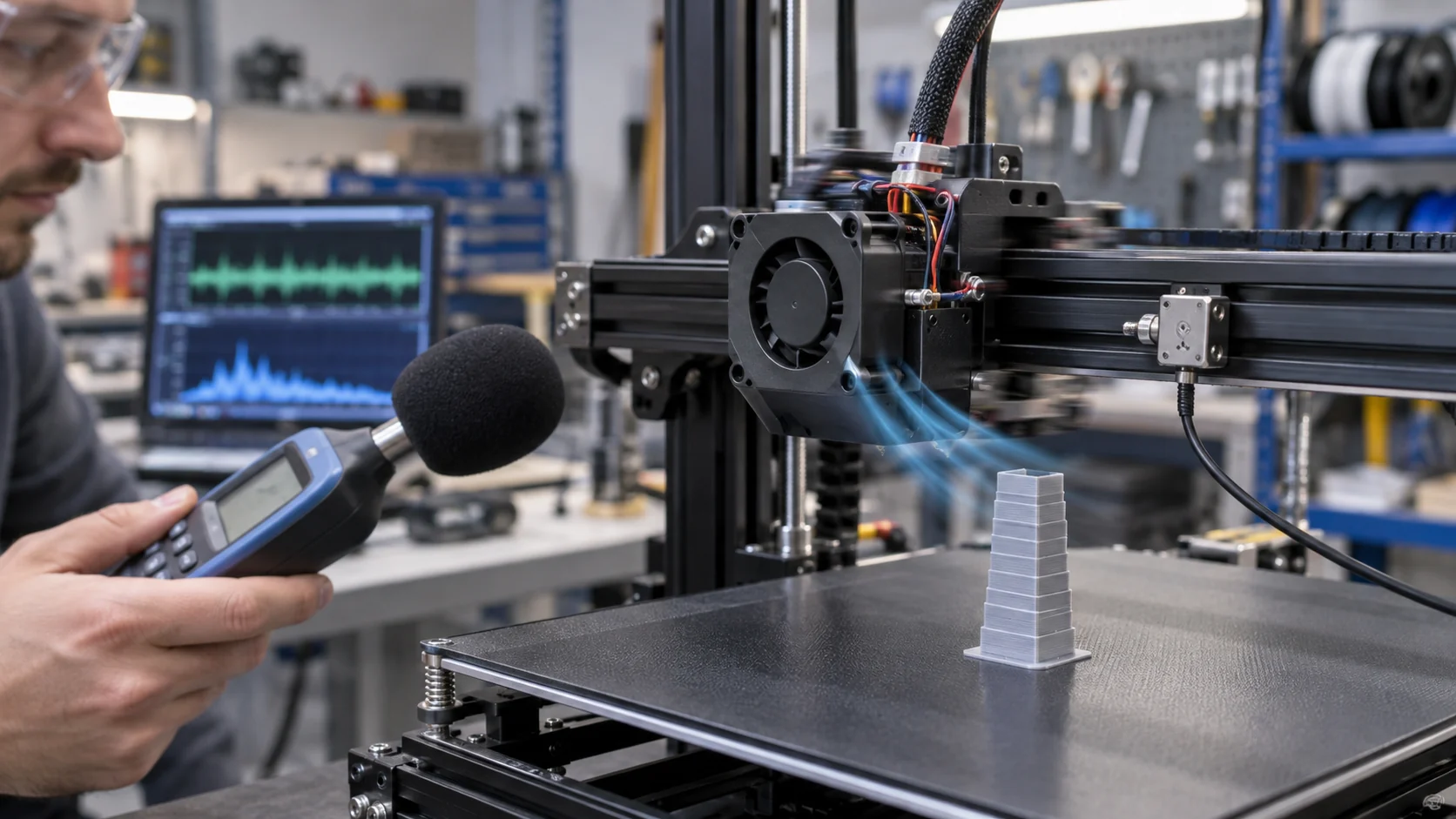
Write the acoustic setup into the test record: microphone type, height, distance, room or enclosure condition, weighting, bandwidth, fan command, print state and axis position. A one-metre free-field value cannot be compared directly with a microphone near a moving toolhead inside an enclosure. Even if the number is called dB(A), the acoustic path and operating point may be different.
Use at least three states for a useful comparison: fan off with the printer idle, fan on with the axis stationary, and fan on while the axis runs the representative motion. If the printer uses a chamber fan, hotend fan and part-cooling fan, test the combinations that can occur in production. A fan that is quiet alone can interact with another fan, a grille or a panel and create a new tone.
For engineering diagnosis, add a frequency view or narrow-band measurement. The goal is not to publish a dramatic graph; it is to decide whether the next revision should change RPM, PWM, mounting, duct geometry, fan size or controller logic. Keep raw data and the test condition with the prototype record so a purchasing team can compare a proposed replacement fairly.
A practical example: suppose the complete printer measures 47 dB(A) at a normal command and 50 dB(A) at a high command, but a narrow 560 Hz tone becomes clearly audible at the normal command. The small overall increase does not prove the assembly is acceptable. The tonal peak, user distance, duty cycle and motion state may matter more than the average number.
Four Passes for a Production-Ready Fan Assembly
A compact fan should pass mechanical, electrical, airflow and acoustic checks together.
Pass one is mechanical: confirm the frame, screw pattern, isolation detail, duct clearance, cable route and full axis envelope. Pass two is electrical: confirm connector pinout, voltage tolerance, PWM level and frequency, FG or RD behavior, startup, restart and locked-rotor response. Pass three is airflow and thermal: measure the installed pressure-flow point and verify the hotend, chamber, part or electronics temperature at the intended duty. Pass four is acoustic: measure level, tonal behavior and vibration under the same installed state.
Do not hide a failure in one pass by passing another. A fan may have the required airflow but fail the toolhead mass budget. It may be quiet at low speed but fail thermal margin. It may match the connector but have a different PWM interface or FG pulse behavior. These are integration failures, not reasons to select by catalogue headline alone.
Use a short acceptance sheet with the fan part number, sample revision, measured supply voltage, command, RPM, current, pressure or airflow, temperature points, microphone setup, vibration result and pass/fail notes. This gives engineering and purchasing the same evidence when comparing a custom sample with a Sanyo Denki, SUNON, Delta, NMB or ebm-papst reference fan.
For small first builds, a staged review reduces risk: bench electrical check, fixture pressure check, installed static check, motion sweep, thermal print and acoustic re-test. The sample should be rejected or revised when the evidence is incomplete, not accepted because the rotor spins.
| Pass | Record | Typical failure found |
|---|---|---|
| Mechanical | mass, clearance, mount, cable and full travel | contact, flex, loose fastener or toolhead resonance shift |
| Electrical | voltage, PWM, FG/RD, startup and restart | wrong pinout, low-duty stall or controller incompatibility |
| Airflow/thermal | installed pressure, airflow, temperatures and duty | duct loss, restriction or insufficient heat margin |
| Acoustic | dB(A), spectrum, vibration and motion state | tonal peak, panel ringing or cable/duct interaction |
How MEGA Tech Can Support a Quieter Custom Fan Sample
The right replacement or custom fan is defined by the installed duty, interface and mechanical envelope, not by a catalogue number alone.
MEGA Tech develops custom DC axial fans and compact centrifugal blowers for equipment that needs a defined airflow, static pressure, noise target and control interface. For a 3D printer, the review may cover frame or thickness, fan blade geometry, outlet direction, PWM or voltage response, FG/RD feedback, connector and cable length, bearing choice, mounting detail, sample quantity and replacement compatibility.
To review a toolhead or enclosure fan, provide the available envelope, current fan part number, measured voltage and current, speed or command, airflow path, estimated pressure restriction, target temperature, operating duty, acceptable sound condition, motion envelope, connector pinout and first-build quantity. A short video of the noise is useful for triage, but the sample decision should use repeatable measurements.
We can evaluate a lower-speed larger fan, a higher-pressure axial option or a compact centrifugal blower when the duct and outlet justify it. We can also review replacement options matched to the original electrical and mechanical interface, then build a sample for the printer team to validate. Claims about noise reduction, life or print quality must remain tied to the completed installed test.
Our boundary is deliberate: MEGA Tech supplies and customizes cooling fans and samples; the printer maker owns firmware, motion tuning, thermal safety, print acceptance, acoustic limits and final compliance. The strongest result is a shared test record that lets engineering and purchasing make the same decision.
Recommended Fan Starting Points
These catalogue series may be suitable starting points for this application. Final selection depends on the installed airflow, static pressure, voltage, noise target and operating environment.
Request a sample for validation on your equipment.
Engineer FAQ: 3D Printer Fan Noise and Vibration
Use these questions in a design review before approving a fan, duct or toolhead revision.
Q: Is dB(A) enough to compare two printer fans? A: No. Keep the same measurement setup and add a frequency or tonal check when the sound is sharp. A similar overall level can hide a very different user experience.
Q: Should resonance testing run with the fan on? A: Establish the mechanical baseline with the fan disabled when the measurement method requires it, then test the complete operating assembly separately. Klipper documents that fan vibration can affect accelerometer measurements.
Q: Why does a quiet fan become noisy after adding a duct? A: The duct changes pressure, outlet velocity, turbulence and stiffness. It can also move the structural resonance. Check the installed operating point, outlet clearance and bracket before changing the fan.
Q: Can a larger fan always reduce noise? A: Not always. A larger fan may deliver the duty at lower RPM, but it may exceed the toolhead mass or envelope, interact with the duct, or create a different tonal peak. Validate the complete assembly.
Q: Does stable FG speed prove that vibration is acceptable? A: No. FG reports rotor speed. Pair it with mounting inspection, acoustic measurement and vibration or motion results.
Q: What should a purchaser request from a replacement-fan supplier? A: Request the installed pressure-flow point, interface details, startup and feedback behavior, sample test method, acoustic condition, bearing/life assumptions and the evidence boundary for any claimed improvement.
Q: What can MEGA Tech customize? A: Fan or blower type, frame or thickness, pressure and airflow duty, connector, cable, PWM, FG/RD behavior, bearing configuration and mounting details can be reviewed around the printer requirement.
Questions for the Design Review
A short checklist helps keep a noise complaint from becoming an endless fan-swapping exercise.
- Which fan is the source: hotend, part cooling, electronics bay, chamber or filtration?
- Does the tone follow RPM, PWM duty, axis position or duct installation?
- What are the clean mechanical baseline and the combined fan-on motion results?
- Has the full toolhead mass, cable path and clearance envelope been rechecked after the fan revision?
- What installed pressure and airflow does the fan need at the actual duct, grille or filter resistance?
- Which temperatures and print-quality metrics define thermal acceptance?
- What are the voltage, PWM, FG/RD, startup and restart requirements at the printer connector?
- What acoustic setup, microphone position and frequency method will be repeated for every sample?
- Which claims are illustrative planning values and which are measured results from the final printer?
- Is the sample small-batch and production-ready without pretending that a bench result is a system certification?