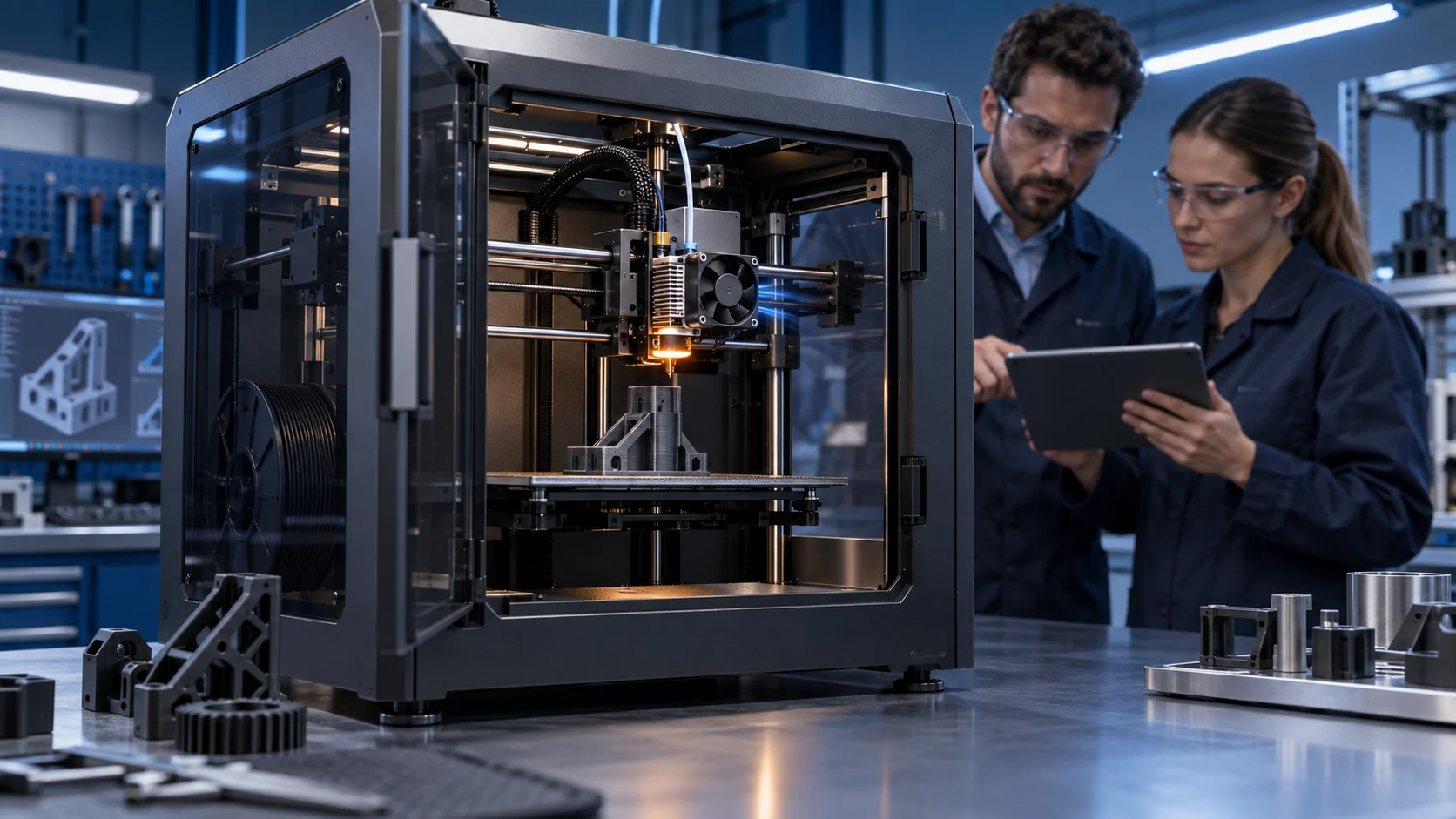
Airflow Direction Is Part of the Thermal Design
A fan can spin at the expected RPM while the printer still feeds hot air back to the component it is meant to cool.
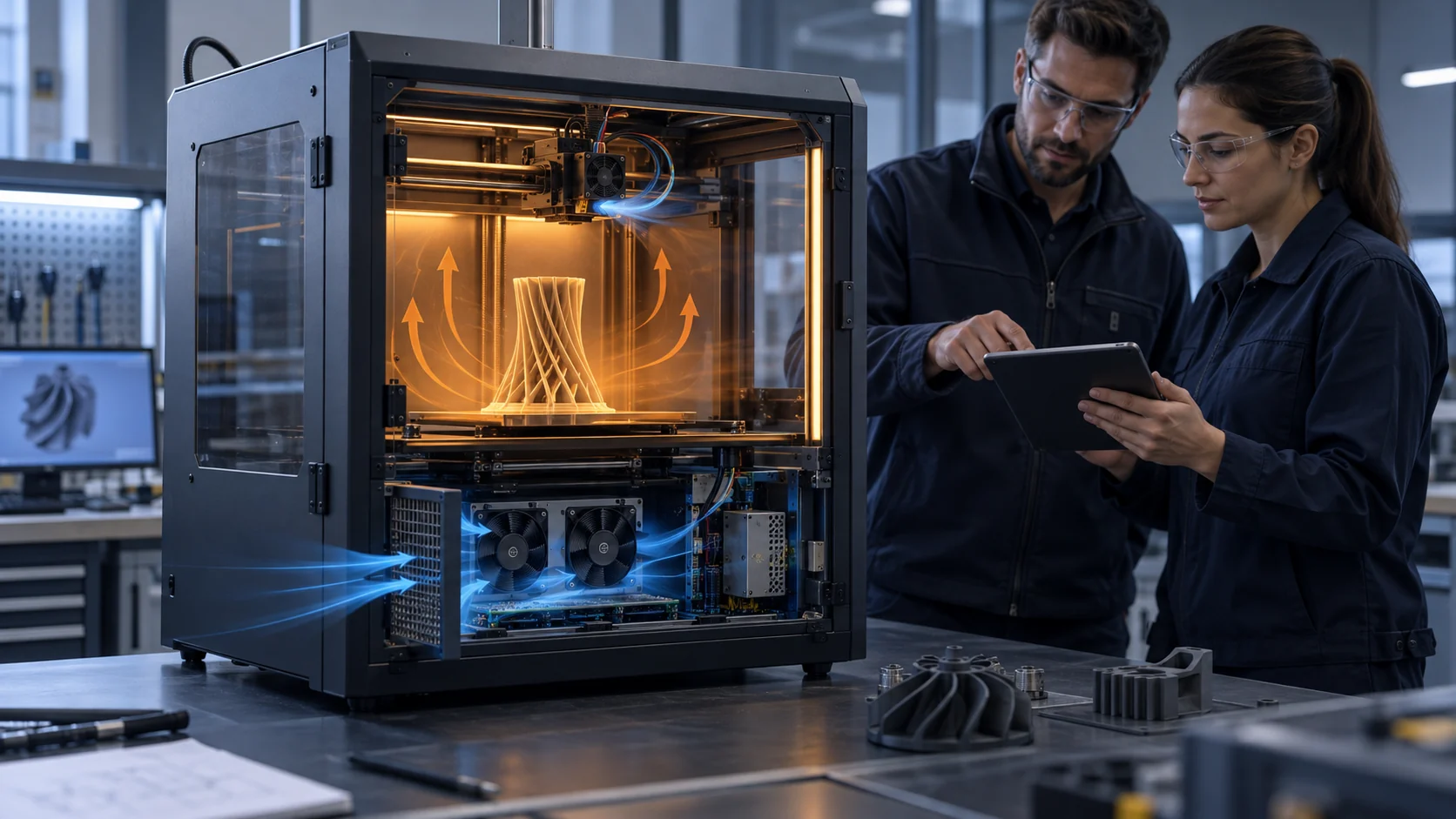
3D printers often contain several cooling contracts in a small volume: the hotend heatsink needs protection from heat creep, the part fan needs a controlled jet at the nozzle, the electronics bay needs cooler air across the controller, and a chamber or filtration fan may move air through a completely different path. If those paths are mixed, a higher fan command can increase recirculation, noise and dust without increasing useful cooling.
The first design question is therefore not ‘which fan is stronger?’ It is ‘where does the air enter, where does it go, and where does it leave at each operating state?’ A shroud, grille, cable opening, door gap or rear panel can create a short circuit. The result is a fan that looks healthy in a bench test but produces a hot spot, unstable chamber temperature or uneven part cooling in the printer.
This article gives printer OEMs and thermal engineers a practical way to map direction, separate the paths and validate the installed result. The examples are illustrative planning values, not universal printer limits or MEGA product ratings.
Separate the Toolhead, Part and Electronics Air Contracts
A single printer may need different air directions and different control logic at the same time.
The hotend heatsink fan normally protects the cold side of the hotend. Prusa's glossary describes the heatsink fan as moving air through the heatsink fins, while the print fan uses a shroud to direct air toward the printed object. Those are different physical targets. A shroud that leaks toward the heater block or a fan installed in the wrong direction can change the thermal boundary even when the fan sounds normal.
The electronics bay is another contract. Its inlet should not draw air from the warm chamber unless the controller and components were designed for that temperature. Its outlet should not point directly at a chamber inlet or a pressure-sensitive filter path. If the bay fan exhausts into a closed cavity, the measured RPM may remain normal while the electronics inlet temperature rises.
Write each contract with five fields: inlet location, target surface, exhaust location, control state and acceptance sensor. For example, part cooling may be enabled only after the first layers, while electronics cooling may continue after motors stop. Chamber circulation may run during printing, while post-print filtration may use a separate path. Combining them in one duty number hides the real trade-off.
A useful layout review marks cool air blue, warm air amber and unintended bypass red. Then check the path with the doors in the real position, the toolhead at the real travel limits and the fans in the combinations produced by firmware.
| Fan role | Target | Direction question | Evidence |
|---|---|---|---|
| Hotend heatsink | heatsink fins / cold side | does the flow avoid the heater block and reach the fin stack? | heatsink temperature and heat-creep test |
| Part cooling | nozzle and printed layer | does the shroud deliver balanced air without disturbing the melt zone? | bridge/overhang repeatability and nozzle temperature |
| Electronics | controller and driver components | does the inlet use acceptable air and the exhaust leave the bay? | inlet, component and outlet temperatures |
| Chamber/filtration | chamber volume or filter media | is air recirculated, exhausted or bypassing the intended stage? | chamber map, pressure and service-state test |
Find Recirculation with Temperature and Flow Mapping
A single inlet or outlet measurement can miss a short circuit; compare several planes and operating states.
Start with a cold baseline: record room temperature, chamber temperature, electronics inlet, protected component temperature, fan commands and door state. Then run the printer at a representative thermal load and measure the same points. The difference between room and inlet temperature is often more useful than a fan RPM number when looking for recirculation.
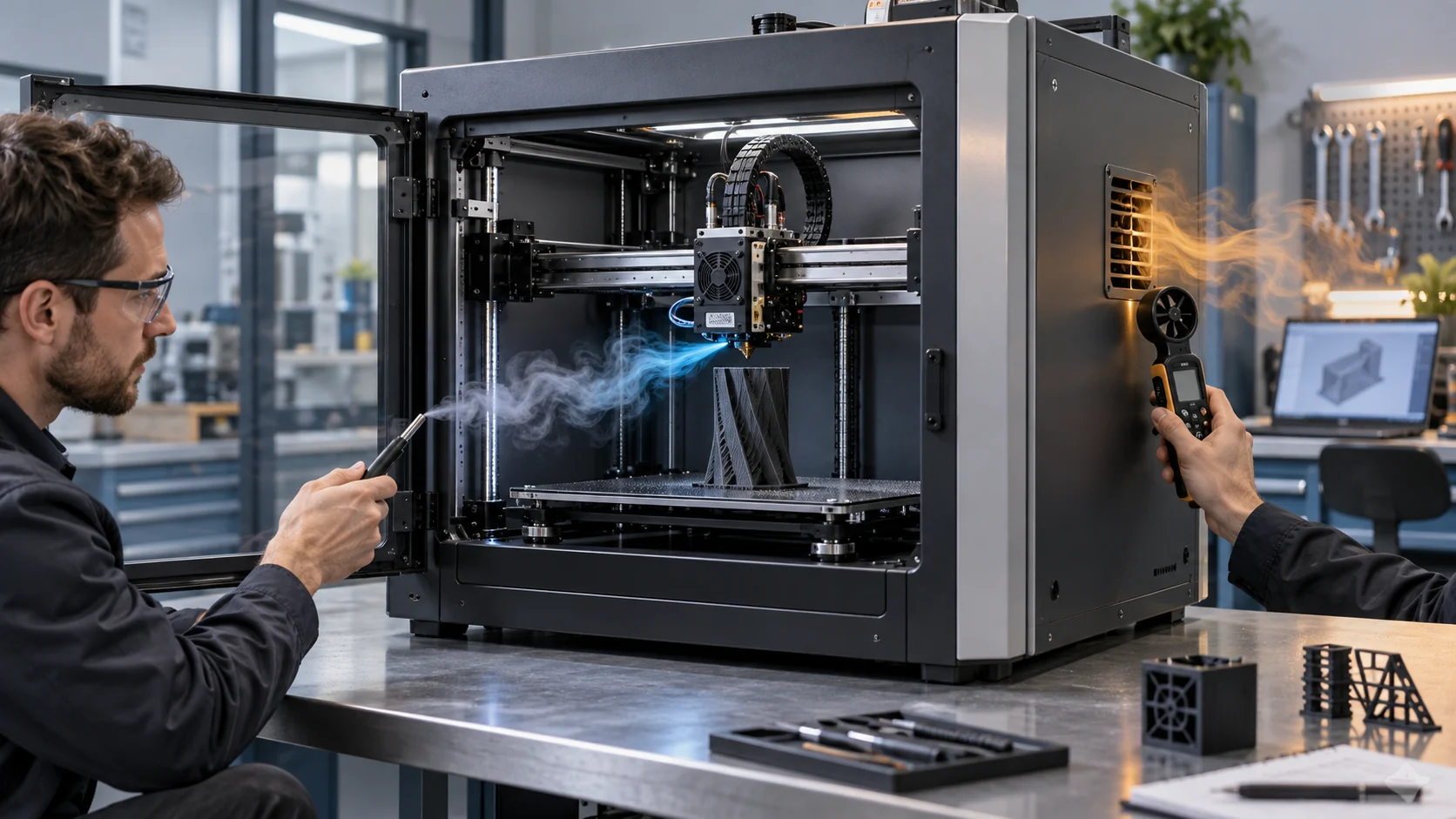
Use a handheld anemometer or smoke-free flow visualisation only as a screening method. Mark the direction at the inlet, target and outlet, then repeat with the toolhead at left, centre and right travel. A path that looks correct at one position may pull air from a cable opening or panel gap at another. For a production test, use repeatable probes or a defined airflow fixture rather than relying on a video.
An illustrative example: if the electronics inlet is 25°C with the chamber door open but rises to 38°C with the door closed, while fan RPM changes by less than 3%, the issue may be air-source temperature or exhaust recirculation rather than a weak motor. If the target surface remains hot while outlet velocity rises, inspect the jet direction, sealing and bypass before increasing speed.
Record the operating state with the map: cold start, warm chamber, active print, toolhead movement, filtration on, door closed and post-print cooldown. A fan can be correct in one state and harmful in another.

Pressure and Direction Must Be Validated Together
A fan curve cannot tell you whether the air is reaching the intended surface after the shroud, grille and enclosure are installed.
Ducts, shrouds and grilles add pressure loss, but their geometry also controls direction and mixing. A narrow part-cooling outlet may create a strong local jet but poor coverage across a wide layer. A large electronics outlet may show high free-air flow but little useful cooling if it exhausts into the same cavity as the inlet. The installed working point and the thermal map are both required.
Use the same pressure and airflow method for the reference and the revised path. Measure at the fan or module, then check velocity or temperature at the target. If the revision adds a filter or grille, test clean and loaded states. If the revision changes a shroud, repeat the print-quality test because a more uniform jet can matter more than maximum airflow.
Do not infer direction from the label or the perceived breeze at the outside of the printer. Verify arrow marks, blade orientation, inlet/outlet geometry and the actual flow at the target. The correct fan direction can still be wrong for a particular shroud if the duct turns, contracts or leaks before the target.
MEGA Tech can help compare axial and centrifugal options when the available space, outlet direction and pressure path require different solutions. The final fan choice remains tied to the installed system curve and the printer's temperature and print acceptance.
How MEGA Tech Can Support a Custom Airflow Path
A custom fan sample is most useful when the air-path drawing and operating states are defined before the part is chosen.
MEGA Tech develops custom DC axial fans and compact centrifugal blowers for equipment that needs a defined airflow direction, pressure, noise target, control interface and mechanical envelope. For a 3D printer, the review may cover frame or thickness, blower outlet, cable direction, PWM or voltage response, FG/RD feedback, bearing configuration, mounting detail, inlet temperature and small first-build quantity.
Provide the printer's air-path sketch, fan roles, available envelope, shroud or duct drawing, chamber and electronics temperatures, target airflow or pressure, grille/filter condition, voltage, PWM/feedback interface, acoustic limit, duty states and current fan part number. Photos of the installed inlet and outlet are useful, but the final selection should use measured points and a repeatable thermal test.
We can support a replacement fan matched to an existing interface, a custom sample for a new printer, or a blower option when a compact turning path needs higher pressure. The printer maker owns the final firmware, thermal safety, print acceptance and compliance decision. We keep the fan-side evidence clear so the system team can make the right choice without confusing free-air performance with installed cooling.
Use a State Matrix Before Freezing the Air Path
The same fan arrangement can be correct during a print and wrong during warm-up, cooldown or filtration.
Build a state matrix with at least cold start, first layer, normal print, high part-cooling demand, warm chamber, electronics heat soak, door closed and post-print cooldown. For each state, list fan commands, inlet temperatures, target temperatures, exhaust location and the expected direction. This exposes conflicts that a single steady-state test cannot show.
A representative design review might find that the electronics inlet is 26°C during room-temperature printing, 34°C with the chamber warmed and 39°C during post-print filtration. If the controller temperature remains acceptable at 26°C but approaches its limit at 39°C, increasing the same fan from 60% to 80% is not automatically the right correction. First check whether the filtration exhaust is returning to the electronics inlet or whether the bay needs an independent cool-air path.
Use a simple pass rule for each state: the flow direction is correct, the inlet is within its declared temperature boundary, the protected component stays within margin, and no bypass or contact appears over the full toolhead travel. If a state cannot be measured directly, label the proxy and its limitation. This gives the mechanical, firmware and fan teams one shared acceptance record.
| State | Record | Decision |
|---|---|---|
| Cold start | room temperature, startup command and direction | fan starts without drawing from a hot or contaminated zone |
| Warm print | chamber, electronics inlet and target temperature | cooling contract remains inside margin |
| Toolhead motion | left/centre/right positions and cable path | no short circuit, contact or changing outlet |
| Post-print | filtration/exhaust command and inlet temperature | hot exhaust does not return to the electronics or chamber target |
| Service state | loaded filter, dirty grille or open door condition | controller detects or bounds the changed air path |
Recommended Fan Starting Points
These catalogue series may be suitable starting points for this application. Final selection depends on the installed airflow, static pressure, voltage, noise target and operating environment.
Request a sample for validation on your equipment.
Engineer FAQ: Airflow Direction in 3D Printers
Use these questions before changing a fan, shroud, grille or enclosure vent.
Q: Can a higher-RPM fan fix a hot electronics bay? A: Only if the installed path delivers cooler air through the bay and exhausts it. More RPM can increase recirculation if the inlet and outlet are poorly placed.
Q: How do I prove a fan is installed backwards? A: Verify the fan and shroud direction, then measure flow at the inlet, target and outlet under the real operating state. Do not rely on the label alone.
Q: Should chamber and electronics fans share an inlet? A: It depends on the temperature and pressure architecture. Share a path only after proving that chamber heat and exhaust do not raise the electronics inlet or create bypass.
Q: Why can the part fan affect print quality when its RPM is stable? A: The shroud and jet direction determine where the air reaches the layer. Stable RPM does not prove balanced coverage or absence of nozzle/heater disturbance.
Q: When should I choose a centrifugal blower? A: Consider one when the path has a compact turn, narrow outlet or higher pressure requirement. Compare the installed curve, not only the motor type.
Q: What can MEGA Tech customize? A: Fan or blower type, frame or thickness, outlet direction, pressure/airflow duty, connector, cable, PWM, FG/RD and mounting details can be reviewed around the printer requirement.
Questions for the Airflow Design Review
A short checklist keeps a direction problem from becoming an endless speed increase.
- Where is the air entering, what surface does it cool and where does it leave in every operating state?
- Are hotend, part, electronics, chamber and filtration duties physically separated where required?
- What are the inlet, target and outlet temperatures with doors and panels in the real position?
- Has the full toolhead travel been checked for cable, shroud and panel short circuits?
- What pressure and airflow does the installed path require at clean and service conditions?
- Does the exhaust return to any inlet, filter face or electronics bay?
- What changes when the printer moves, heats the chamber or turns on filtration?
- Which measurements prove airflow direction, and which prove thermal or print performance?
- Are the fan sample, shroud and firmware states versioned together?
- Has a custom or replacement fan been tested on the actual path before the BOM is frozen?